How to keep a suspension setup log
A suspension setup log records every setting with the date and time it changed, and files each run under the setup it was ridden on. Kept that way, it answers the question riders lose track of: what was the bike set to when it felt right? The BYB Telemetry software links runs to setups automatically.
Published
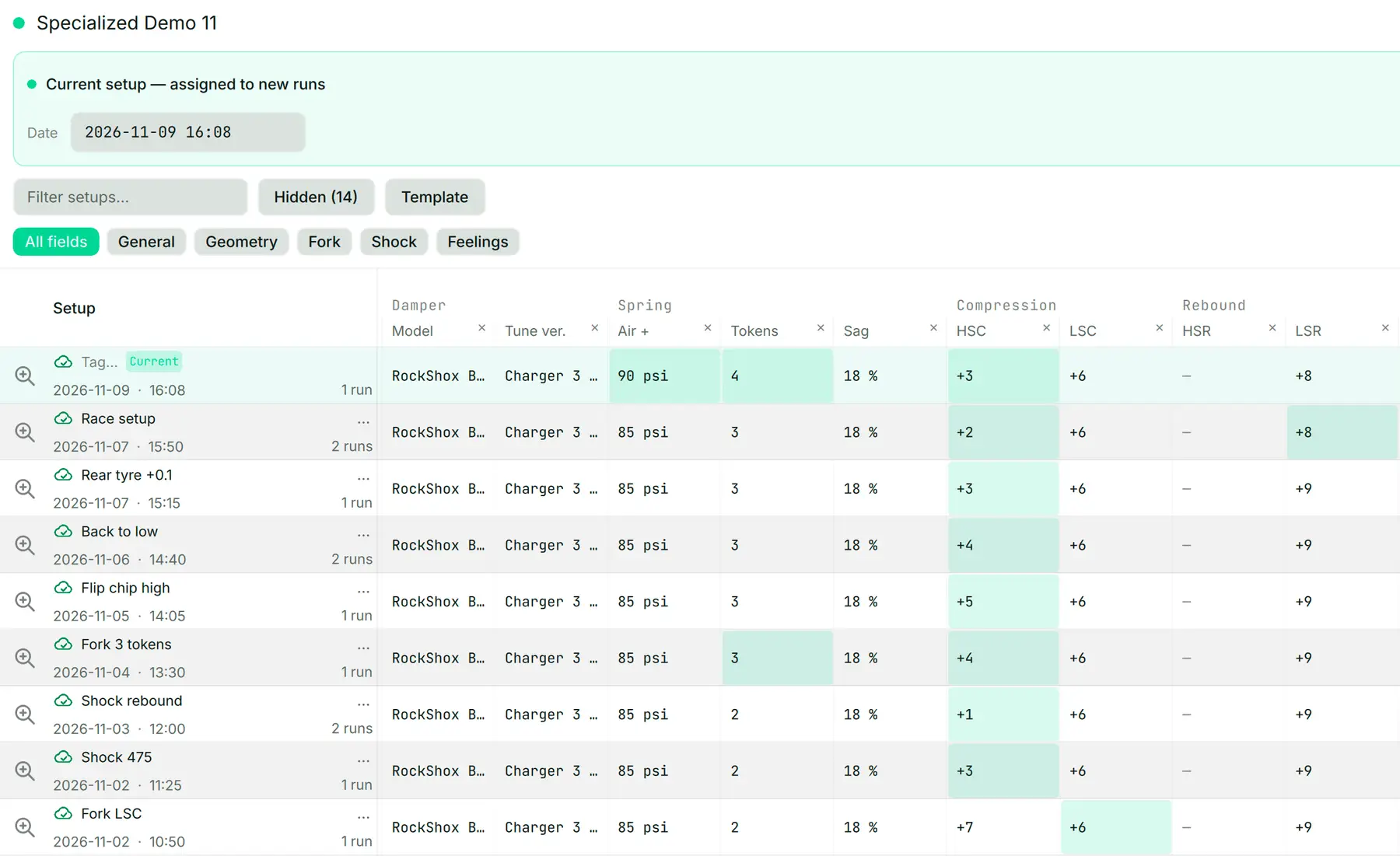
What a suspension setup log should record
- The bike: model, travel and, on a full-suspension bike, the leverage curve
- Every adjuster: air pressure or spring, rebound and compression counted in clicks from fully closed, volume spacers
- The date and time of each change
- The runs ridden on each setup, with where they were ridden and how they felt
A change written without a date cannot be matched to a run, and a run without its setup cannot be repeated. The log only works when both halves are kept.
Why each run has to be filed under its setup
Memory of how a bike felt does not keep; a run file does. Filing each run under the setup it was ridden on is what turns a pile of recordings into a history of the bike.
In the BYB Telemetry software, each run links to the setup in place when you started riding, even if you download it later. A change saved at 10:30 applies to a run started at 10:40, never to the one before it.
Setup linking works with Telemetry V3 from firmware 3.5 and with Telemetry V3 Pro from firmware 3.9. The getting-started film in the video tutorials shows the software from the first connection.
How to keep a setup log, step by step
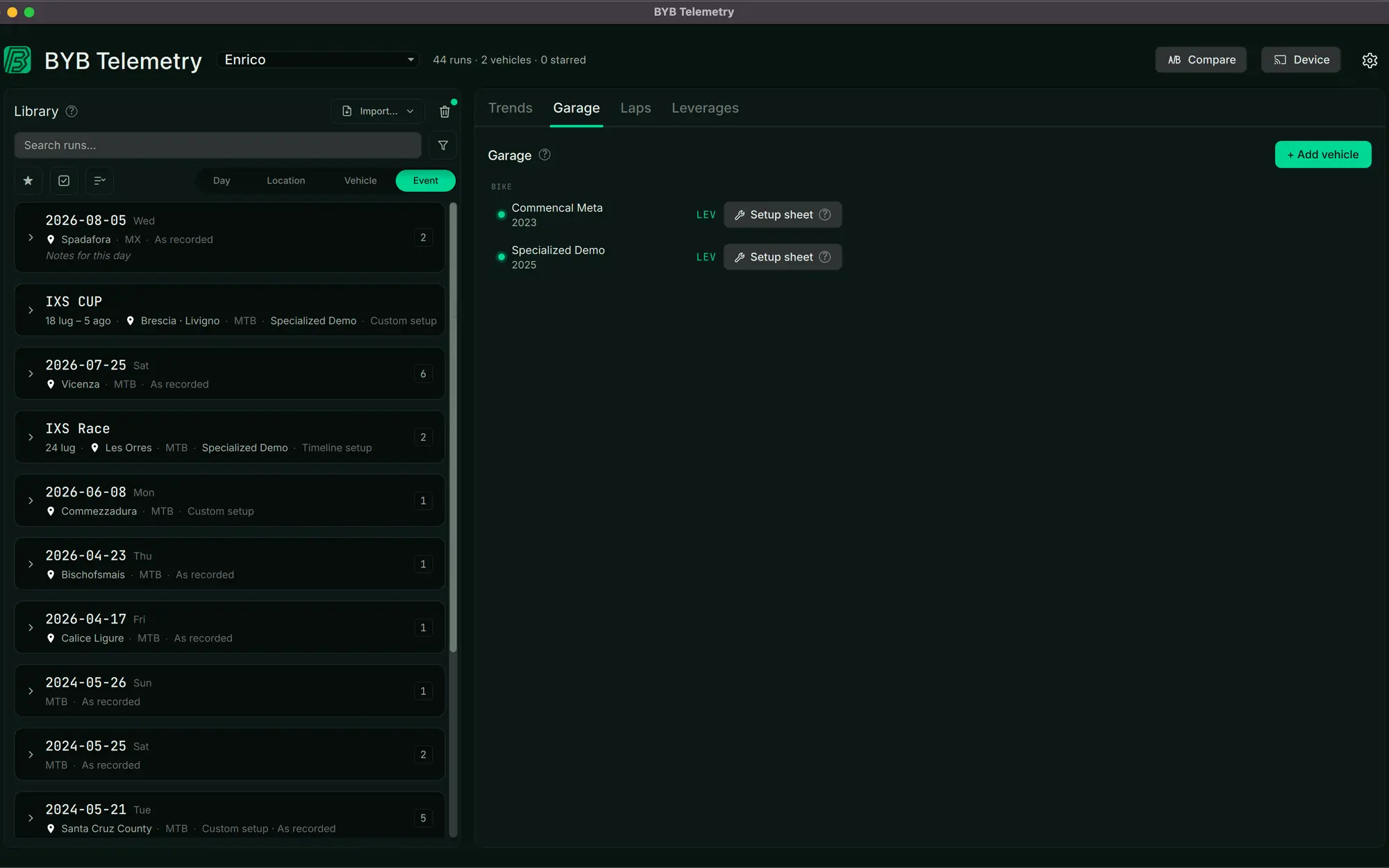
- Add the bike to the Garage with its measurements and, for a full-suspension bike, its leverage curve
- Write the starting setup on the setup sheet before the first run
- Save every change as you make it, so it carries the date and time
- Ride, and let each run file itself under the setup in place when it started
- Compare runs across setups, and keep the one that measured best
What counts as the setup that measured best is covered in how to read a suspension travel histogram: compare runs of the same section with each other, one change apart.
A paper log and a log that files itself
| Compared on | Notebook or spreadsheet | BYB Telemetry setup sheet |
|---|---|---|
| Date and time of a change | Written by hand, if remembered | Saved with the change |
| Run matched to its setup | From memory | Linked from the run's start time |
| Evidence | Notes on feel | Fork and shock recorded at 500 Hz (V3) or 1000 Hz (V3 Pro) |
| Shared with a tuner | Sent by hand | Sent with each new run, with setup and bike |
Sharing a setup log with a tuner
Sign in on another device and the Garage, the setups and the runs are there. A run can be shared on its own, or every new one sent automatically, and the tuner receives the setup and the bike with it.
Ask BYB, the app's AI chat, answers from your own runs and setup sheet, which only works when both are complete. Receiving runs needs a plan that includes it on the tuner's side.
Common questions
- What should a suspension setup sheet include?
- The bike and its travel, every adjuster setting counted from fully closed, the date and time of each change, and the runs ridden on each setup.
- Do I need data acquisition to keep a setup log?
- No: a notebook works if every change is dated. Data acquisition adds measured runs filed under each setup automatically, with Telemetry V3 from firmware 3.5 and Telemetry V3 Pro from firmware 3.9.
- Can I see my setup history on another device?
- Yes. Sign in on another device and the Garage, the setups and the runs are there.