Video tutorials
BYB Tech records walkthroughs of the software that reads suspension data. The overview below runs through the desktop application end to end — opening a recorded run, reading the position distribution, and comparing one session against another — so the workflow is visible before anything is installed. A second walkthrough covers the Chrono lap timer's app, from pairing the unit to reading the splits.
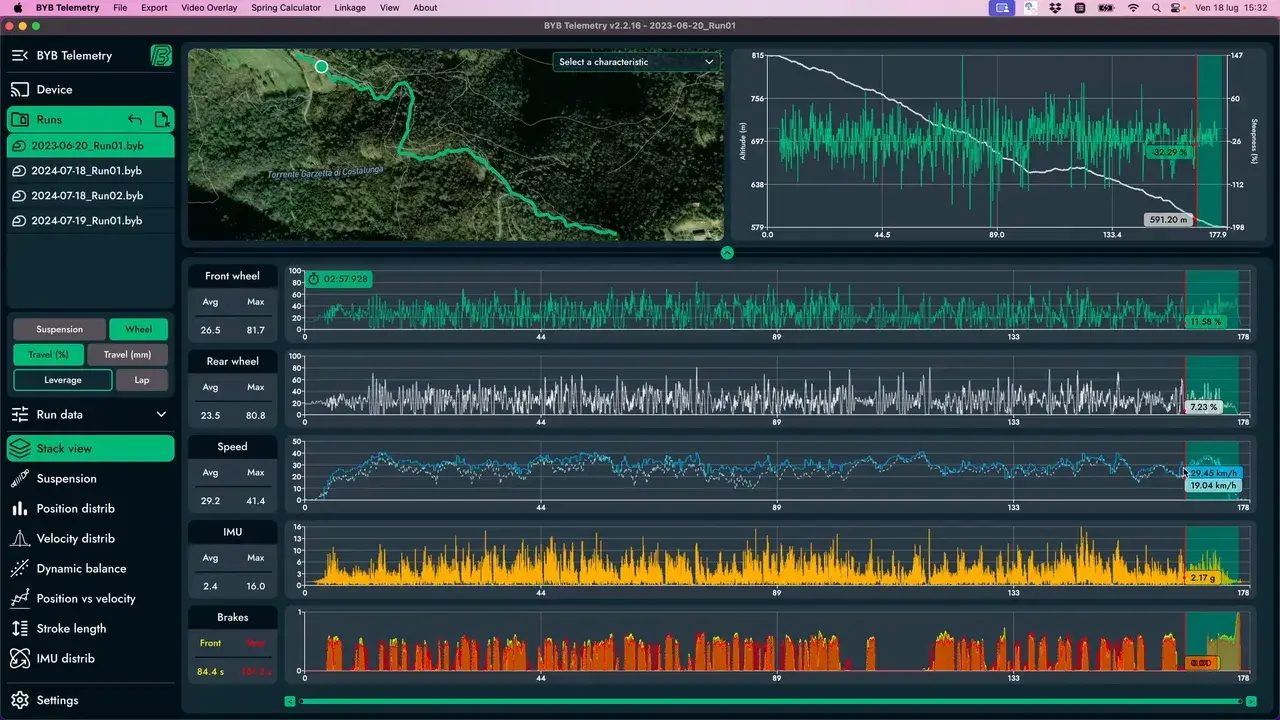
BYB Telemetry Software Overview
The overview covers the software rather than the hardware: opening a run, reading the charts it draws, and comparing two sessions against each other. It is the same application that ships with Telemetry V3 and Telemetry V3 Pro.
The written guides cover what the hardware records and how to read a travel histogram. The training course goes further than either, lesson by lesson, and is sold separately.
What the overview covers
- Opening a recorded run
- Reading the position distribution
- Comparing one session against another
Training course
The BYB Telemetry software, taught end to end: opening a recorded run, reading the charts it draws, and turning what they show into a setup change.
4 modules24 chapters
2 chapters play free, without an account.