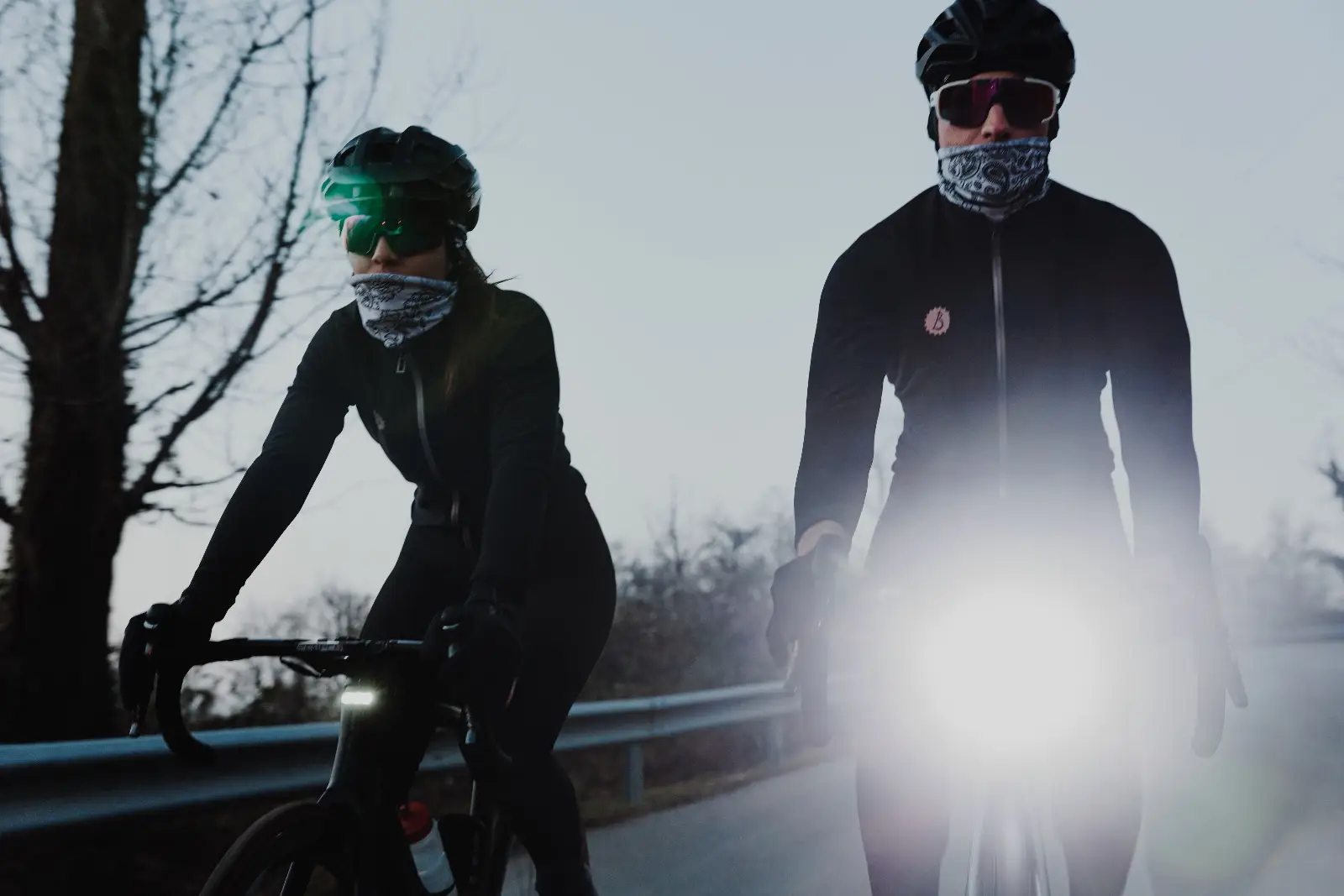
FOCUS
User manualBike light
Contents
FOCUS- 01Quick startYour first ride
- 02What’s in the box?Components list
- 03The lightMain features · The concept behind Focus · Buttons and LEDs
- 04InstallationMountings · Mounting the trigger · The StVZO lens
- 05Using the lightButtons · The status LED
- 06Lighting modesThe four modes · Front high-beam · Front low-beam · Front beacon · Rear light
- 07The appConnecting to the app · Light settings · Device settings
- 08The wireless triggerUsing the trigger
- 09ChargingBattery charging
- 10SafetySafety rules
- 11TroubleshootingA lighting mode is missing from the sequence · The high-beam does not fire · The high-beam dims during a long run · The app cannot find the device · The device is unresponsive
- 12SpecificationsTechnical data
Quick start
Your first ride
- Fit a mounting.Slide the GoPro or Garmin mounting into the bottom rails until the locking pin engages.Full steps in Mountings.
- Mount Focus on the bike.Use the cockpit mount that matches the mounting fitted.
- Switch on.Press the upper button once. The status LED turns white.
- Choose a lighting mode.Press the upper button again to step through the enabled modes.What each mode does is in Lighting modes.
- Fire the high-beam.Press or hold the lower button, or press the wireless trigger.
- Optional — set it up in the app.Brightness, patterns, buzzer and trigger pairing are all in the app. See Connecting to the app.
What’s in the box?
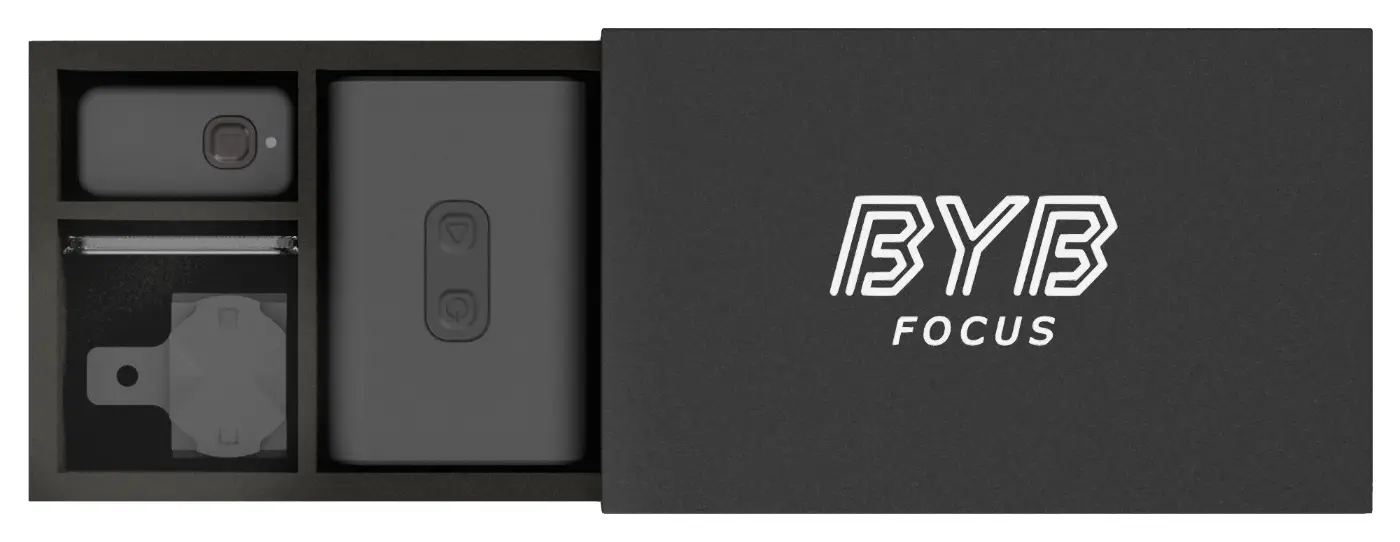
Focus is supplied ready to fit, with both mounting standards in the box.
Components list
| Qty | Item |
|---|---|
| 1 | Focus bike light |
| 1 | StVZO lens, with o-ring |
| 1 | GoPro mounting |
| 1 | Garmin mounting |
| 1 | Wireless trigger |
| 1 | Trigger mounting set — supplied with the trigger |
The light
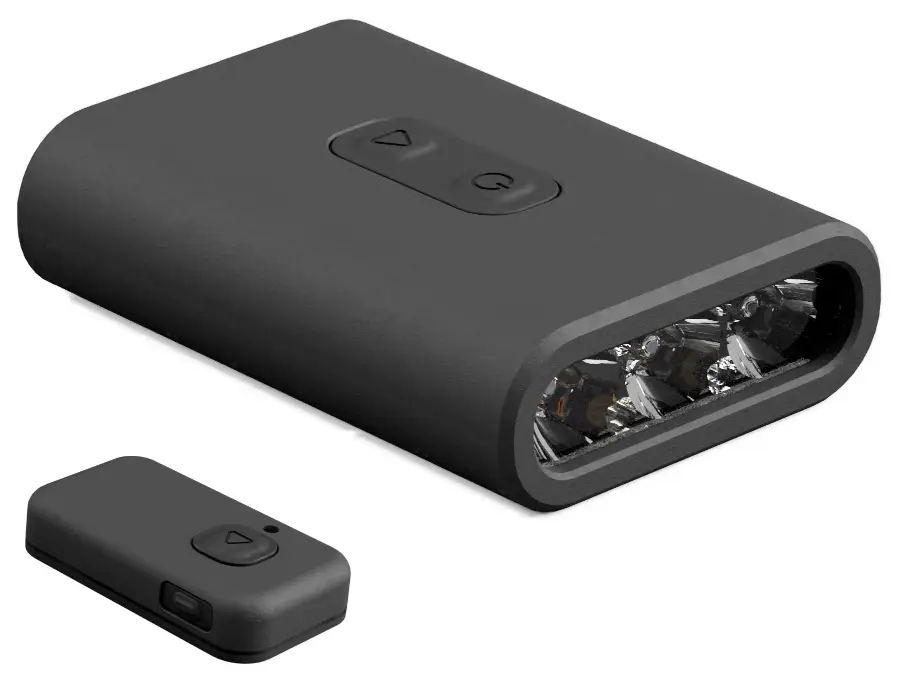
Focus is a lighting device and a safety device in one: 5000 lumens when it is needed, a lens that keeps the beam out of oncoming eyes and a red rear light, in a 50 gram body.
Main features
- 5000 lumen high-beam light.
- 800 lumen front low-beam light.
- 5000 lumen front beacon light.
- 300 lumen rear light, red, steady or beacon.
- Operable through a wireless trigger.
- Long-lasting battery with super fast-charge technology.
- Interchangeable mounting options — GoPro and Garmin.
- App connectable and fully user configurable.
- Compact and light — 66 × 45 × 18 mm, 50 grams.
It is bright enough to be seen in daylight and it fits on any bike. The four ways it can be used are described in Lighting modes; the full figures are in Technical data.
The concept behind Focus
Focus brings together the most advanced lighting technology available today to reach a level of performance normally reserved for much larger lights, in a body small enough to leave the cockpit clear.
An advanced temperature sensor controls the high-beam. When the maximum sustainable temperature is reached, the high-beam is derated. The low-beam is capped below that point instead, so it can be held indefinitely with no derating.
That is the difference between the two front white modes: the high-beam is a burst of light called for on a descent or a dark corner and held only while the button is held, the low-beam is the light you ride by.
Buttons and LEDs
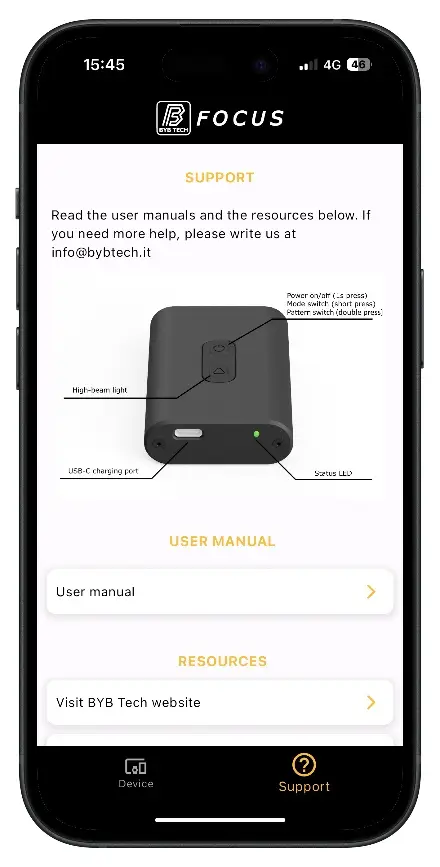
Two buttons and one status LED carry every function of the device. What each button does is in Buttons; the status LED is in The status LED and the charging LED in Battery charging.
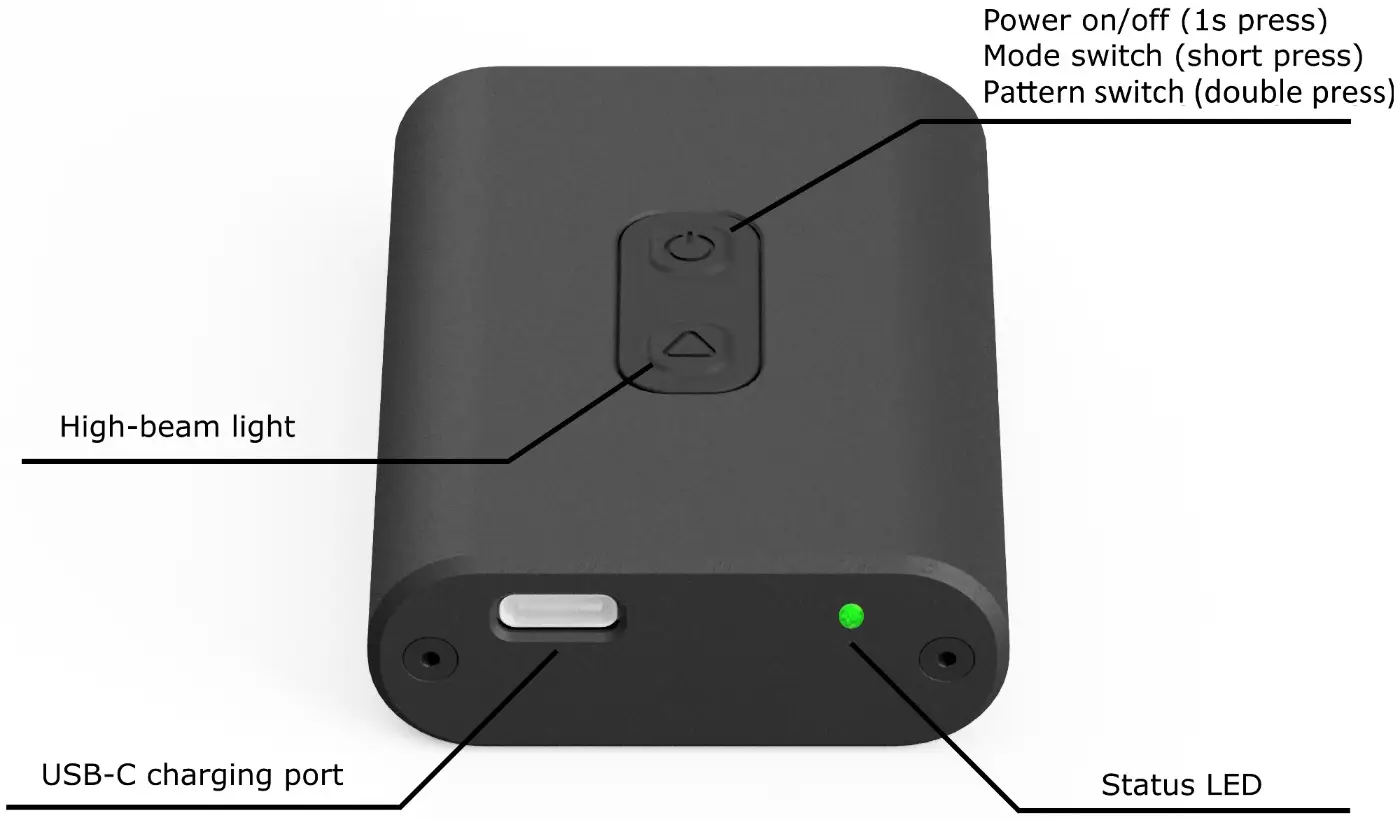
| Control | What it is |
|---|---|
| Upper button | Power, mode selection and light intensity. |
| Lower button | Fires the high-beam. |
| Status LED | The state of the device and of the battery. |
| USB-C port | Charging. |
| Bottom rails | Where the GoPro or Garmin mounting slides in — see Mountings. |
Installation
Three things get fitted: a mounting on the light, the light on the bike, the wireless trigger and — where it is used — the StVZO lens.
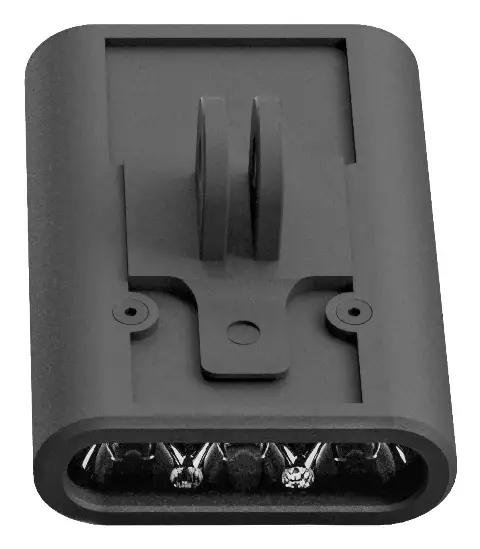
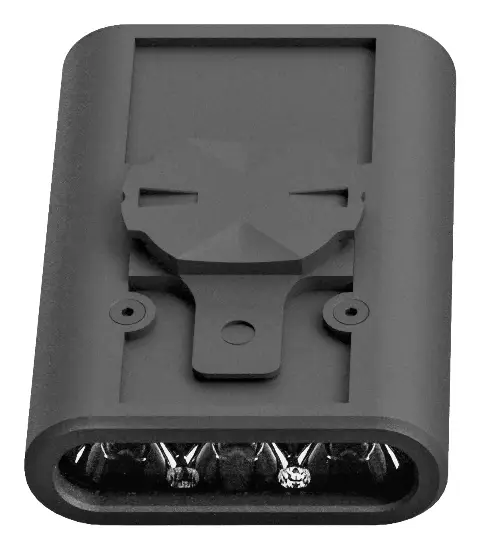
Mountings
Focus takes a standard GoPro or Garmin mounting, so it fits the cockpit you already have. Both plastic sliding mountings are in the box and either one slides into the bottom rails of the light.
- Choose the mounting that matches your cockpit — GoPro or Garmin.
- Place the mounting at the open end of the bottom rails.
- Slide it gently forward until the locking pin engages.
- Pull on the light to check the mounting is locked before riding.
To remove a mounting, lift the locking tab gently and slide the mounting backwards.
Mounting the trigger
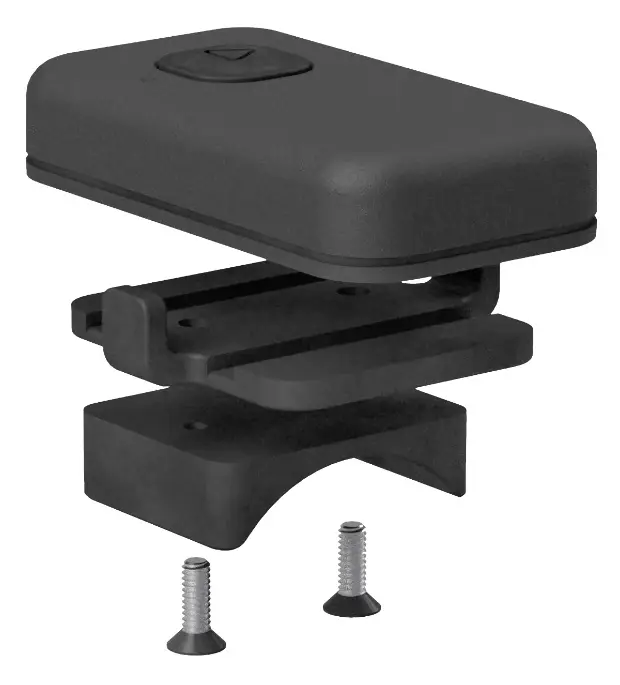
The trigger fires a high-beam flash without taking a hand off the handlebar. Fit it where your thumb reaches it from your normal riding position. What it does and how it is paired is in The wireless trigger.
It mounts in several ways, so it suits any bar:
- Under the bar tape.
- On the handlebar with the supplied mounting.
- On the handlebar with the supplied mounting and a 22 mm or 31.8 mm adaptor.
- On the handlebar with the supplied mounting and small cable ties.
- On the handlebar with double-sided tape.
The StVZO lens
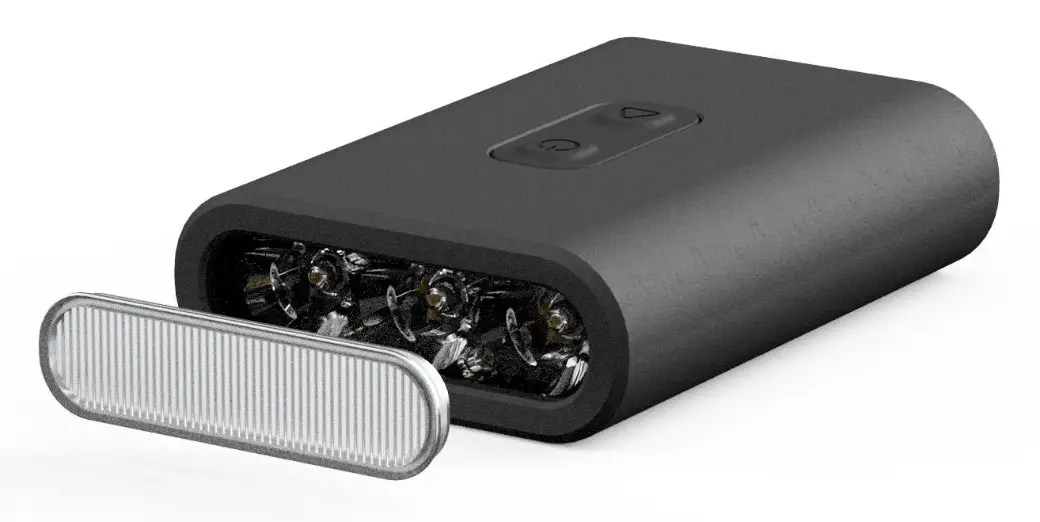
The StVZO lens is supplied with Focus. It shapes the beam towards the road ahead and spreads it to both sides, which widens the field of view and stops the light dazzling other road users.
- Place the lens on a flat surface with its smooth face up.Keep the supplied o-ring on the lens.
- Press Focus down onto the lens, smooth face towards the light.
- Check the lens is seated evenly all the way round.
To remove the lens, lever it off with a thin flat screwdriver or a pair of thin pliers.
Using the light
Two buttons do everything on the bike. Everything else is set in the app.
The status LED
| LED | Meaning |
|---|---|
| White | The device is on and the battery is good. |
| Red | The device is on and the battery is low. |
| Blue | The Bluetooth connection is enabled. |
Lighting modes
Focus has four modes. Each one is enabled, tuned and given its pattern in the app, so the sequence on the bike is only as long as you want it to be.
The four modes
Focus switches on in the last used mode. One press of the upper button steps to the next enabled mode; every mode is customised in the app. See Buttons.
| Mode | Colour | What the light does | High-beam |
|---|---|---|---|
| Front high-beam | White | Off until called for, then up to 5000 lumens. | Yes |
| Front low-beam | White | Steady, up to 800 lumens, sustainable. | Yes |
| Front beacon | White | Flashes to a chosen pattern, up to 5000 lumens. | Yes |
| Rear | Red | Steady or flashing to a chosen pattern, 300 lumens. | No |
Front high-beam
The light stays off in this mode and is produced only while the lower button or the wireless trigger is held. It is the mode for a fast descent, where you want the full 5000 lumens on demand and nothing in between.
The full 5000 lumens is derated once the maximum sustainable temperature is reached — see The concept behind Focus.
Front low-beam
The light stays on at the fixed brightness set in the app. This is the mode to ride by: its ceiling is lower than the high-beam and the front beacon, and it is held with no derating for as long as the battery lasts.
Fit the StVZO lens for road use — it keeps the beam on the road and out of other road users’ eyes. See The StVZO lens.
Front beacon
The light flashes with the pattern and brightness chosen in the app, up to the full 5000 lumens. It is the daylight mode: bright enough to be seen by traffic well before it reaches you.
Rear light
A red light, steady or flashing to the pattern chosen in the app. Mount Focus facing backwards, on whichever GoPro or Garmin mount your bike carries at the rear. See Mountings.
The high-beam cannot be fired in this mode. The lower button and the trigger do nothing.
The app
Every setting lives in the BYB Focus app, over Bluetooth. Connect first, then change what you need — the settings stay in the device.
Connecting to the app
The BYB Focus app is a free download from the App Store and Google Play.
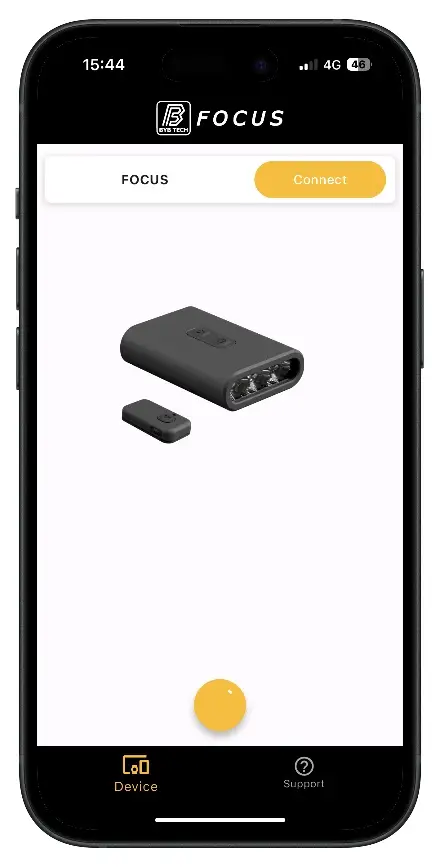
- Switch Focus on.Bluetooth is enabled for 5 minutes after startup — the status LED turns blue.After that window, switch Focus off and on again to enable Bluetooth again.
- Open the app.
- Tap "Search", at the top right of the screen.
- Select your device and tap "Connect".
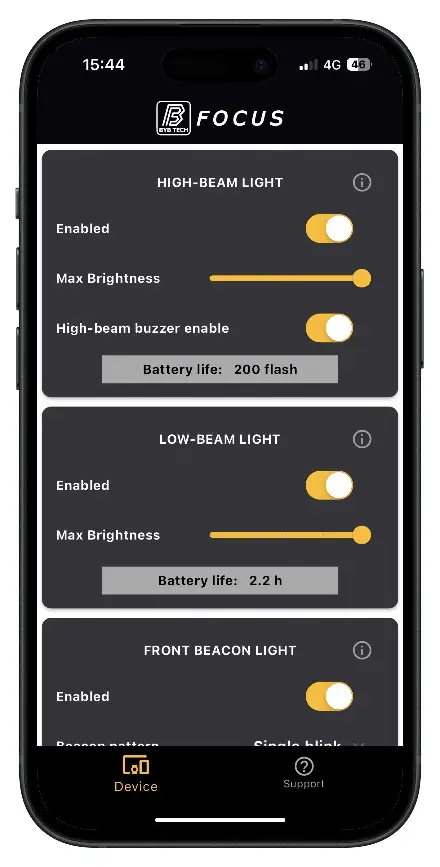
- Change the settings you need. They are applied to the device as you go.Switch the light on while you work: brightness, pattern and buzzer changes take effect immediately, so you can see the difference as you make it.
Every change is applied in real time and stored in the device — there is no save step, and the settings stay in place when the app is closed. The full list of what can be changed is in Light settings and Device settings.
Light settings
| Mode | Setting | Values |
|---|---|---|
| Front high-beam | Enabled | On, off |
| Front high-beam | Maximum brightness | Up to 5000 lumens |
| Front high-beam | Buzzer on high-beam | On, off |
| Front low-beam | Enabled | On, off |
| Front low-beam | Maximum brightness | Up to 800 lumens |
| Front beacon | Enabled | On, off |
| Front beacon | Pattern | Single blink, double blink, triple blink, heartbeat, wave |
| Front beacon | Maximum brightness | Up to 5000 lumens |
| Rear | Enabled | On, off |
| Rear | Pattern | Steady, single blink, double blink, triple blink, heartbeat, wave |
Device settings
- Buzzer
- Enables or disables the buzzer when the device is switched on or off and when the mode changes. The high-beam buzzer is separate — see Light settings.
- Auto shutdown
- Switches the device off after a set time without activity.
- Auto shutdown timer
- How many minutes of inactivity before the device switches off.
- Auto wakeup
- Wakes the device again when it detects movement.
- Fast charge
- Enables the fast-charge function. See Battery charging.
- Double click
- Enables the double press of the upper button to step through light intensities and patterns. See Buttons.
- Trigger
- Enables or disables the wireless triggers.
- Trigger pairing
- Pairs Focus with your own trigger, or matches any trigger. See The wireless trigger.
The wireless trigger
A handlebar unit that fires the high-beam and changes mode over a wireless link, so the hands stay on the bar.
Using the trigger
Pressing the trigger does exactly what pressing the lower button does: the high-beam is produced at the brightness set in the app, for as long as the trigger is held. It works in every mode that allows the high-beam — see The four modes.
The lateral button on the side of the trigger changes mode: each press moves to the next mode, the same as pressing the upper button on the light.
Triggers are enabled and paired in the app. Focus can be paired with your own trigger, or set to accept any trigger. Where to fit it is in Mounting the trigger; the two settings are in Device settings.
Charging
Li-Po batteries derived directly from racing drones, charged over USB-C.
Battery charging
- Open the cover over the USB-C port.
- Connect a USB-C cable to the port.
- Wait for the charging LED to turn green.
- Disconnect the cable and close the cover before riding.
| Charging LED | Meaning |
|---|---|
| Blinking red | Charging, standard charge. |
| Fast blinking red | Charging, fast charge. |
| Green | Fully charged. |

Safety
Focus produces up to 5000 lumens from a body 66 mm long. Treat it accordingly.
Safety rules
- Do not look into the lens and do not shine the light at anyone at close range.
- Fit the StVZO lens for road use, so the beam stays on the road and out of oncoming eyes. See The StVZO lens.
- Check the mounting is locked before every ride. See Mountings.
- The body gets warm in high-beam use — handle it by the mounting after a long run.
Anything this manual does not answer: info@bybtech.it.
Troubleshooting
Find the symptom, apply the fix. Anything not here: info@bybtech.it.
A lighting mode is missing from the sequence
A disabled mode is skipped. Enable it in the app — see Light settings.
The high-beam does not fire
- Check the current mode allows the high-beam. It cannot be fired from the rear light mode — see The four modes.
- Check the high-beam is enabled in the app.
- If you are using the trigger, check triggers are enabled and paired — see Device settings.
The high-beam dims during a long run
That is the temperature control working as designed — see The concept behind Focus. For light that holds indefinitely, ride in the low-beam mode.
The app cannot find the device
- Check the status LED is blue. Bluetooth mode must be enabled on the device — see Connecting to the app.
- Check Bluetooth is on in the phone settings.
- Charge the device if the status LED is red.
The device is unresponsive
Hold the upper button for 10 seconds to force a restart.
Specifications
Technical data
| Focus | |
|---|---|
| High-beam output | 5000 lm |
| Low-beam output | 800 lm |
| Front beacon output | 5000 lm |
| Rear output, red | 300 lm |
| Beacon patterns | Single blink, double blink, triple blink, heartbeat, wave |
| Thermal control | Temperature sensor, high-beam derating |
| Battery | Li-Po, fast-charge capable |
| Charging port | USB-C |
| Wireless | Bluetooth to the BYB Focus app (iOS, Android) |
| Wireless trigger | Paired in the app |
| Mountings | GoPro and Garmin, interchangeable |
| Optics | StVZO lens supplied |
| Dimensions | 66 × 45 × 18 mm |
| Weight | 50 g |