


APP
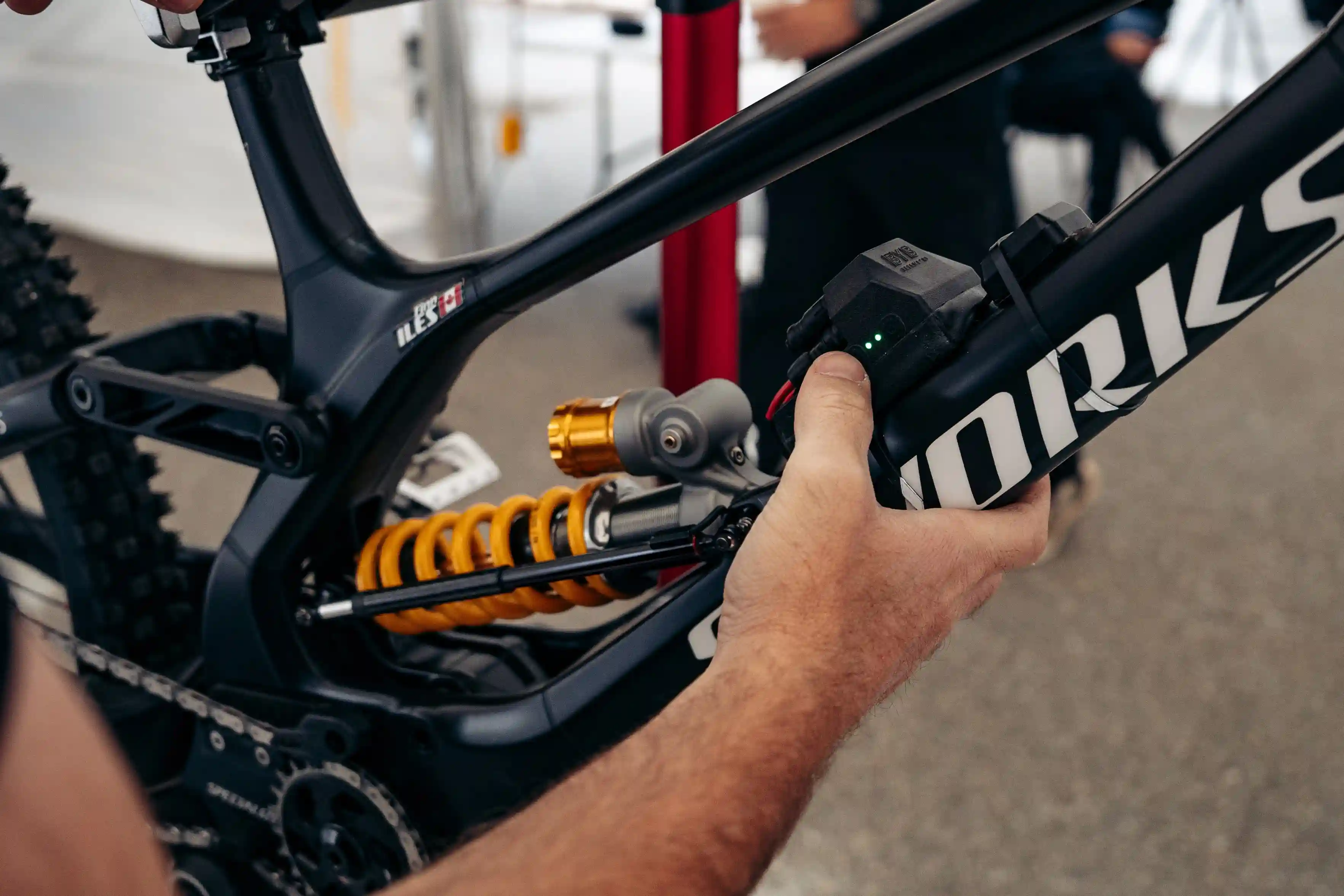
Discover APPMeasure. Adjust. Improve.
Software
Software
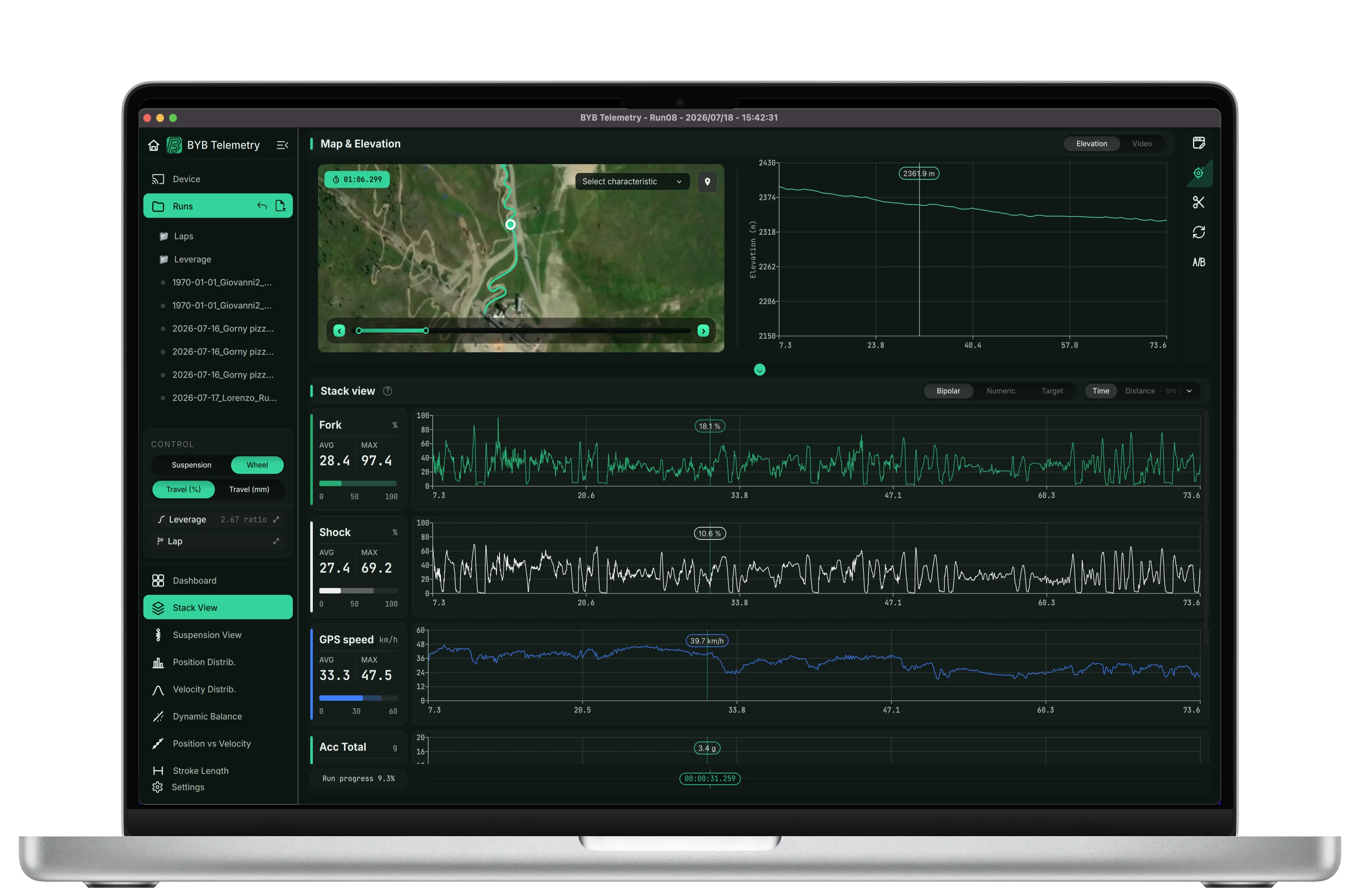
• Seamless connectivity to the acquisition unit.
• Advanced display and calculations over acquired metrics.
• GPS tracking and accurate lap timing.
• Travel visualization in % and mm (suspension/wheel) + leverage ratio interpolation.
• Overlay suspension charts with additional data and select flexible intervals with averages.
• Position/velocity distributions, run comparison (time/distance), and saved notes/settings.
• Auto‑tuning algorithm to guide the next adjustment
• Available for Mac and Windows
App
App
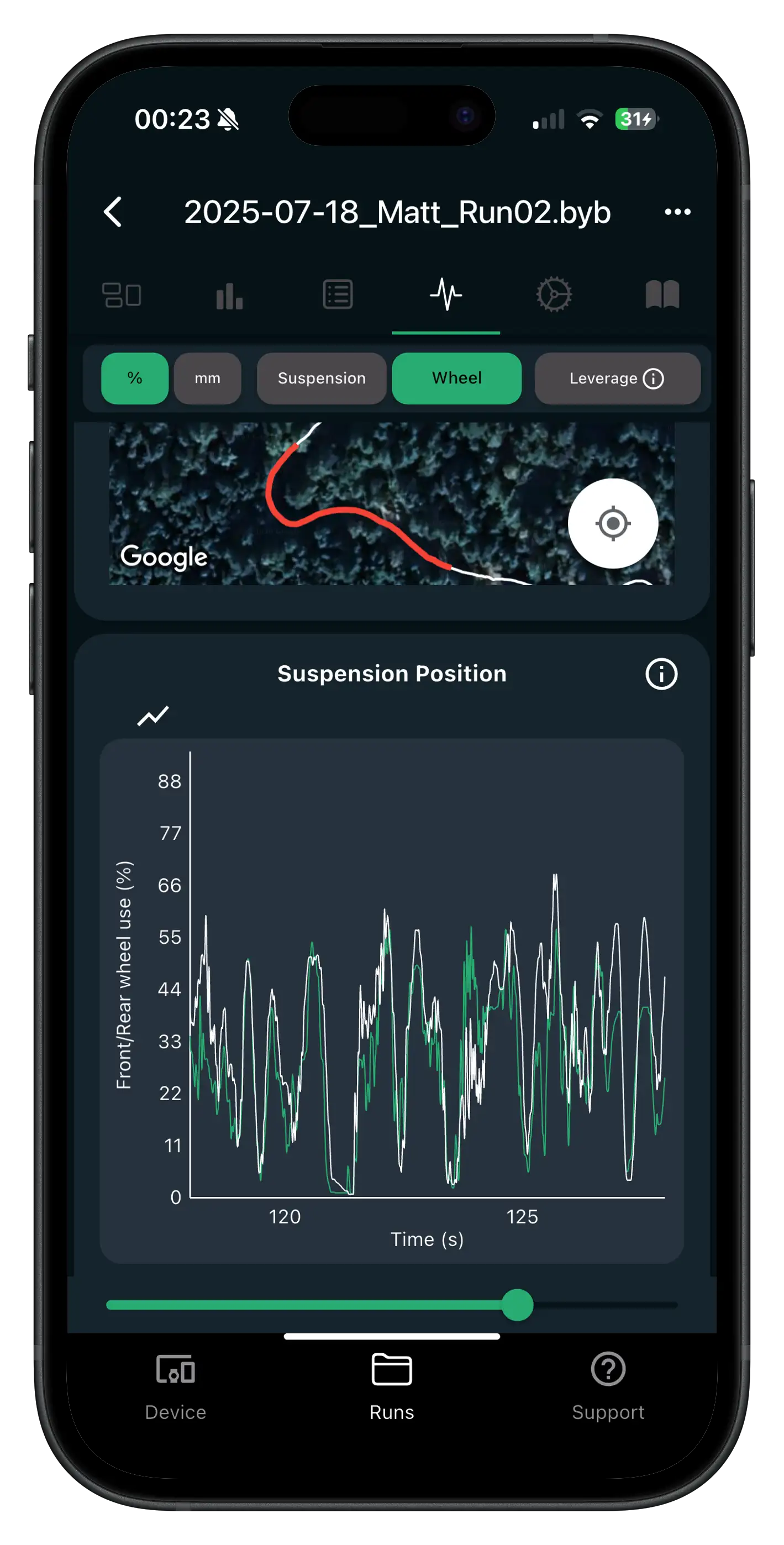
• Wirelessly connect to the acquisition unit and change key device settings
• Download and manage runs on your phone, then upload/share
• Instant run summaries + map view to review what happened, where it happened
• Clear charts for suspension, accelerometer, speed (and more) for fast checks
• Notes and setup history per track/session—easy to reuse next time
• Auto‑tuning algorithm to guide the next adjustment
• Built‑in support page with manuals and help resources
• Available for iOS and Android
SOFTWARE FEATURES
Stack view
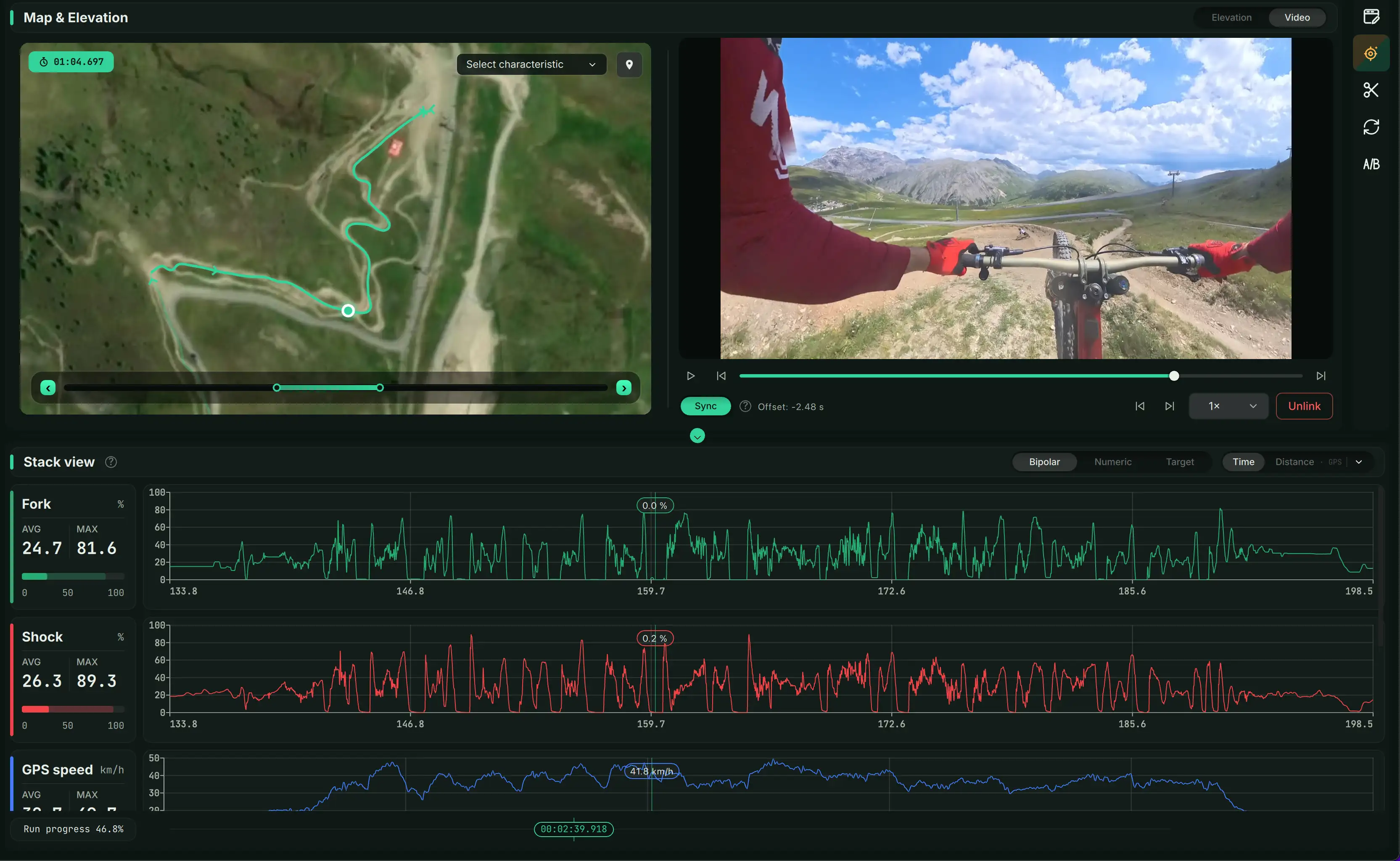
All key metrics on one screen for fast decisions.
Suspension view
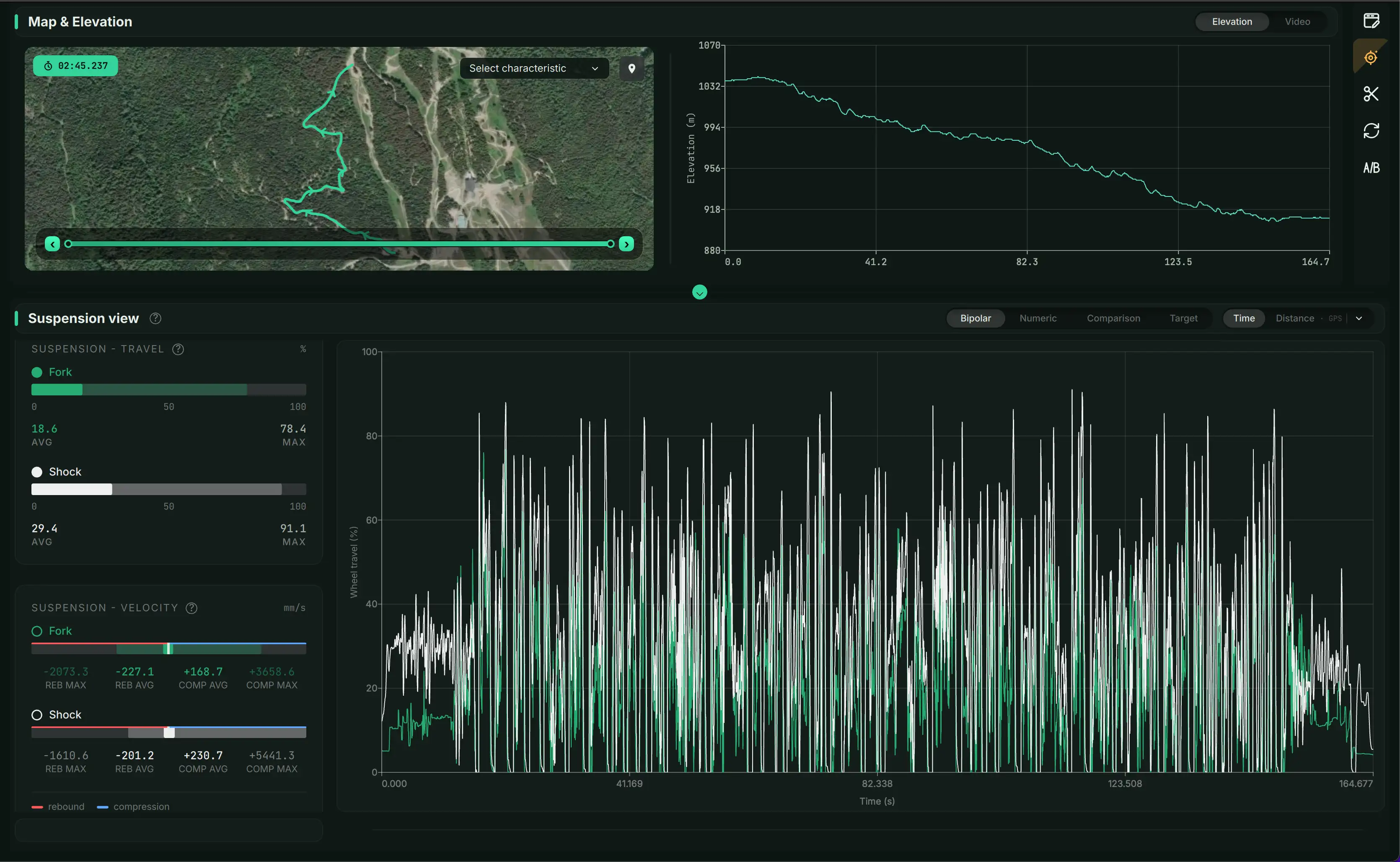
Overlay suspension travel with additional channels and derived metrics.
Position distribution
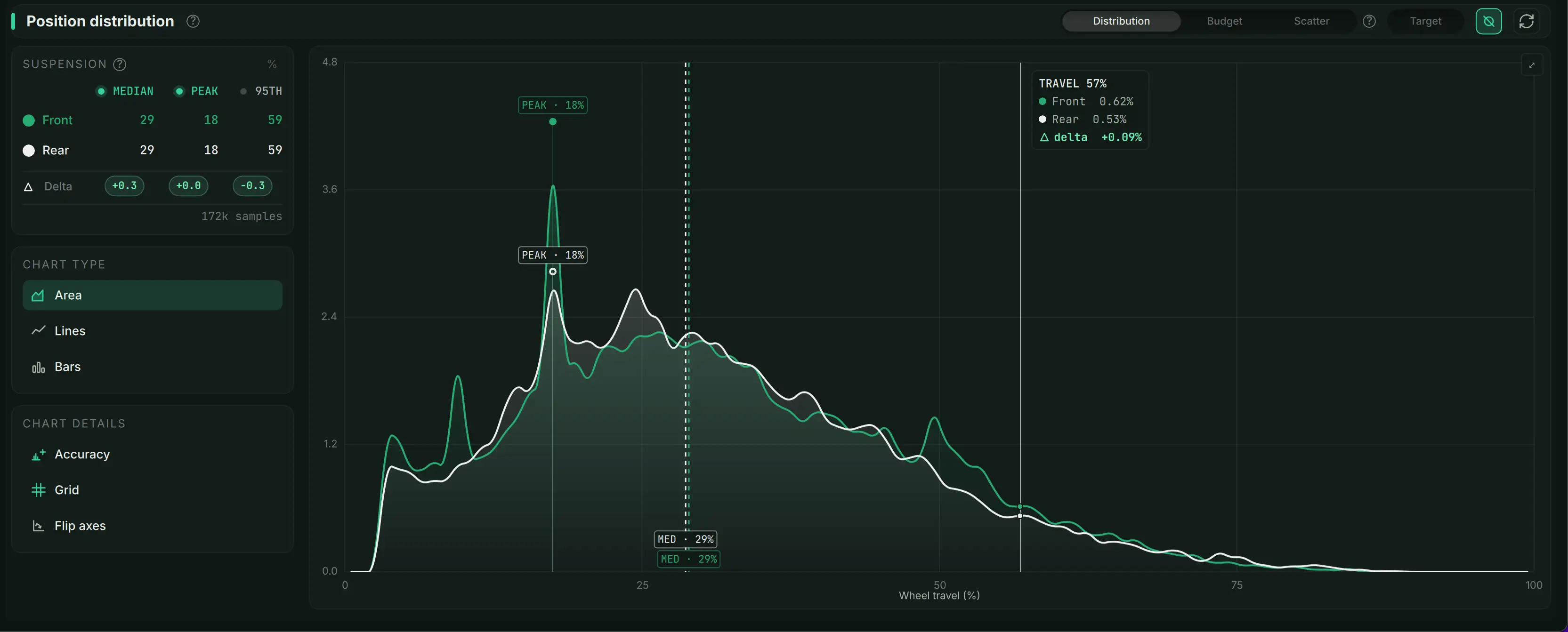
See where the suspension spends its time (overall balance).
Velocity distribution
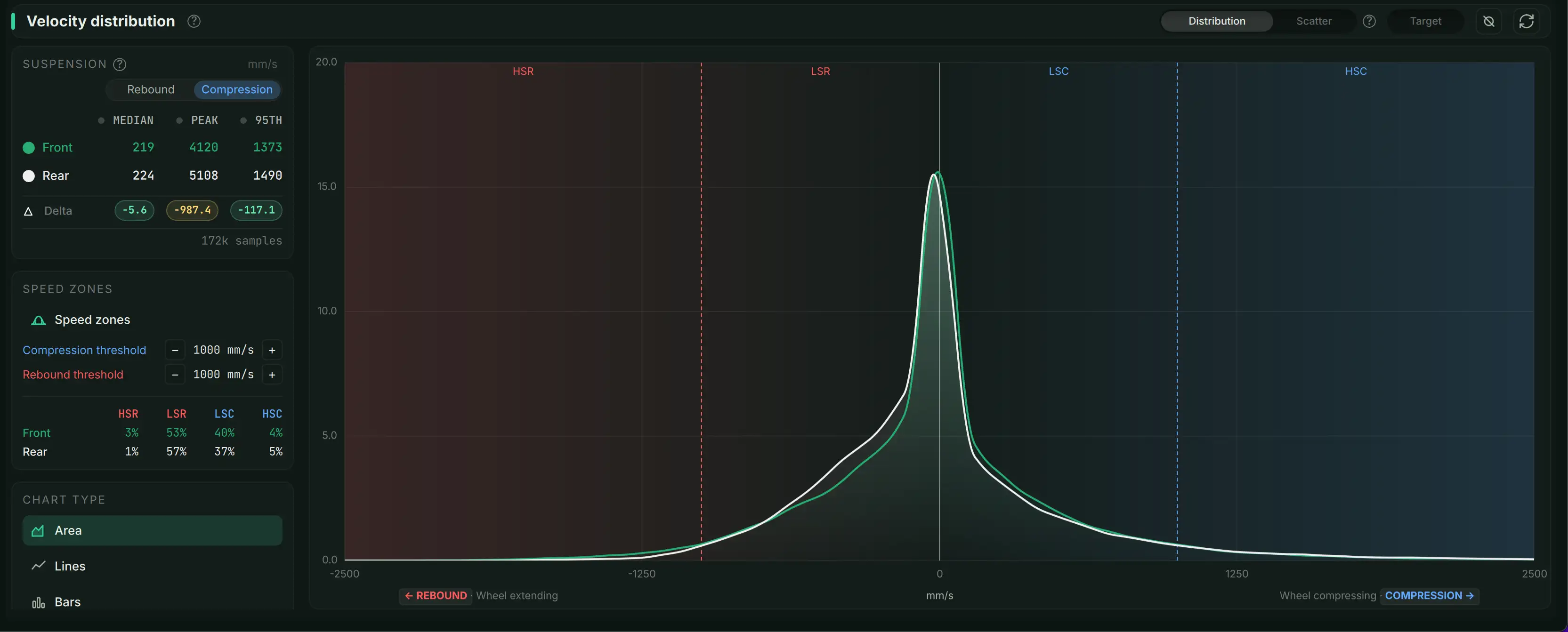
Compression/rebound speed distribution to understand damping behavior.
Position vs Velocity
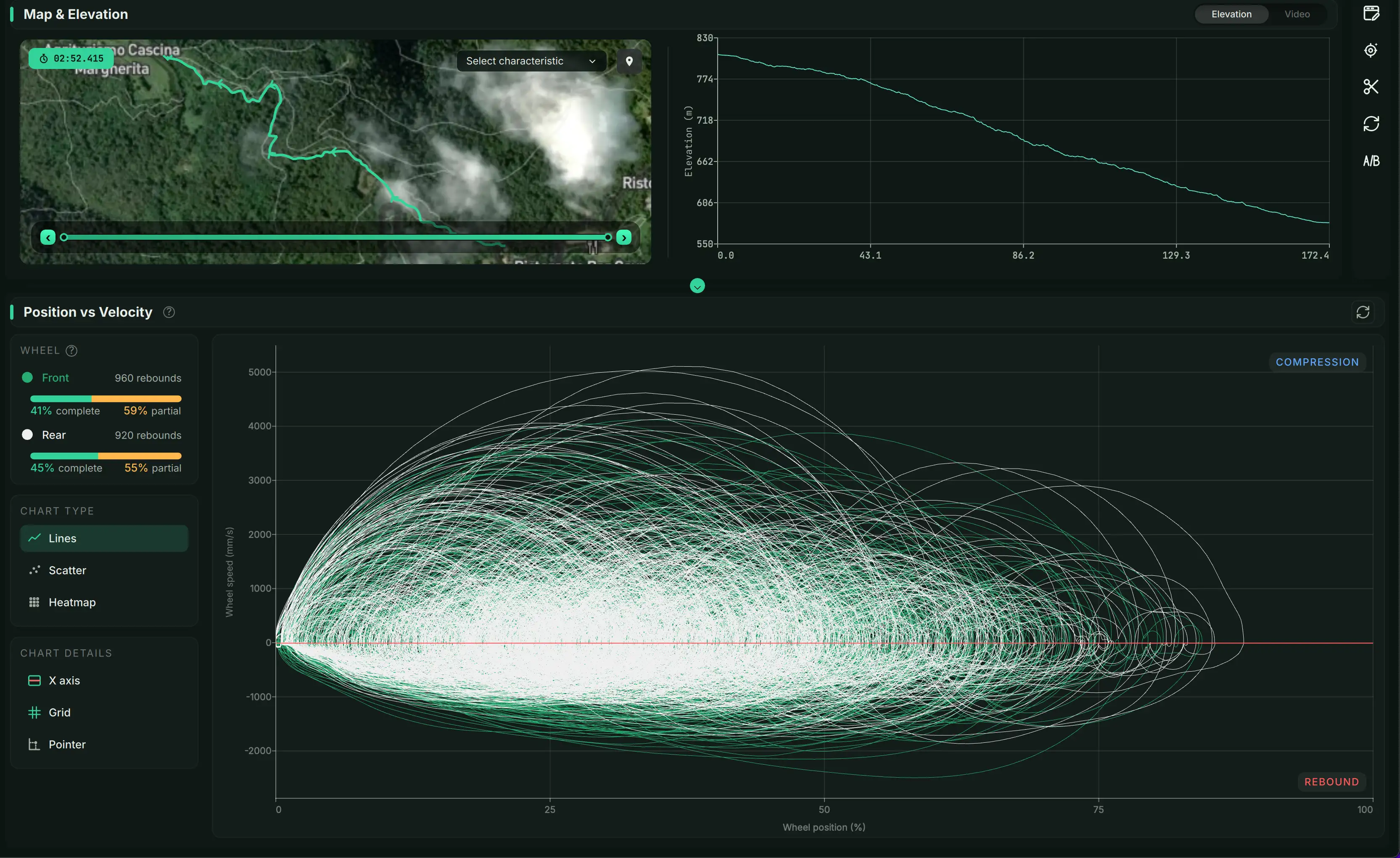
One chart that summarizes suspension behavior across the run.
Comparison
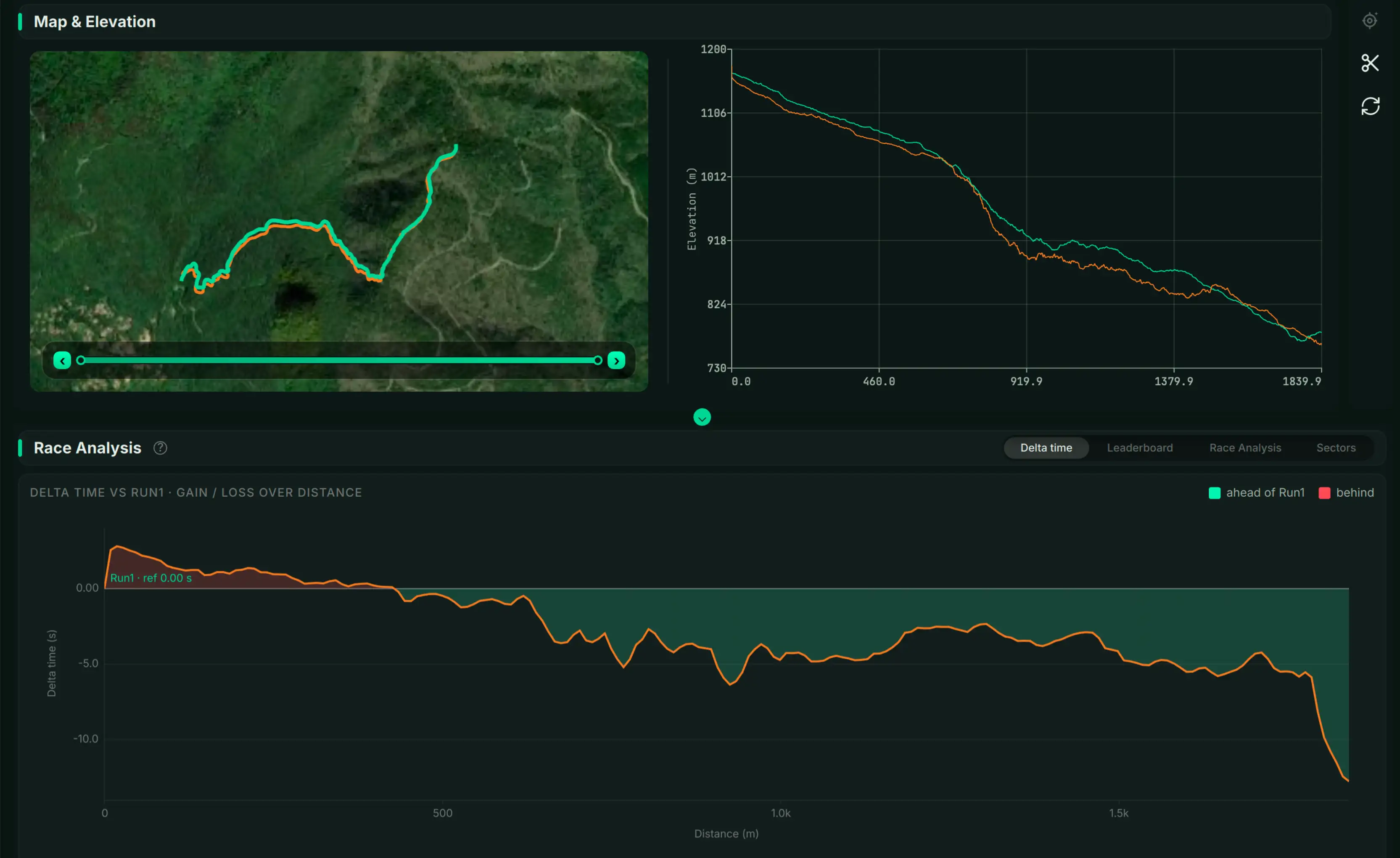
Compare two runs on the same track by time or distance.
Leverage ratio
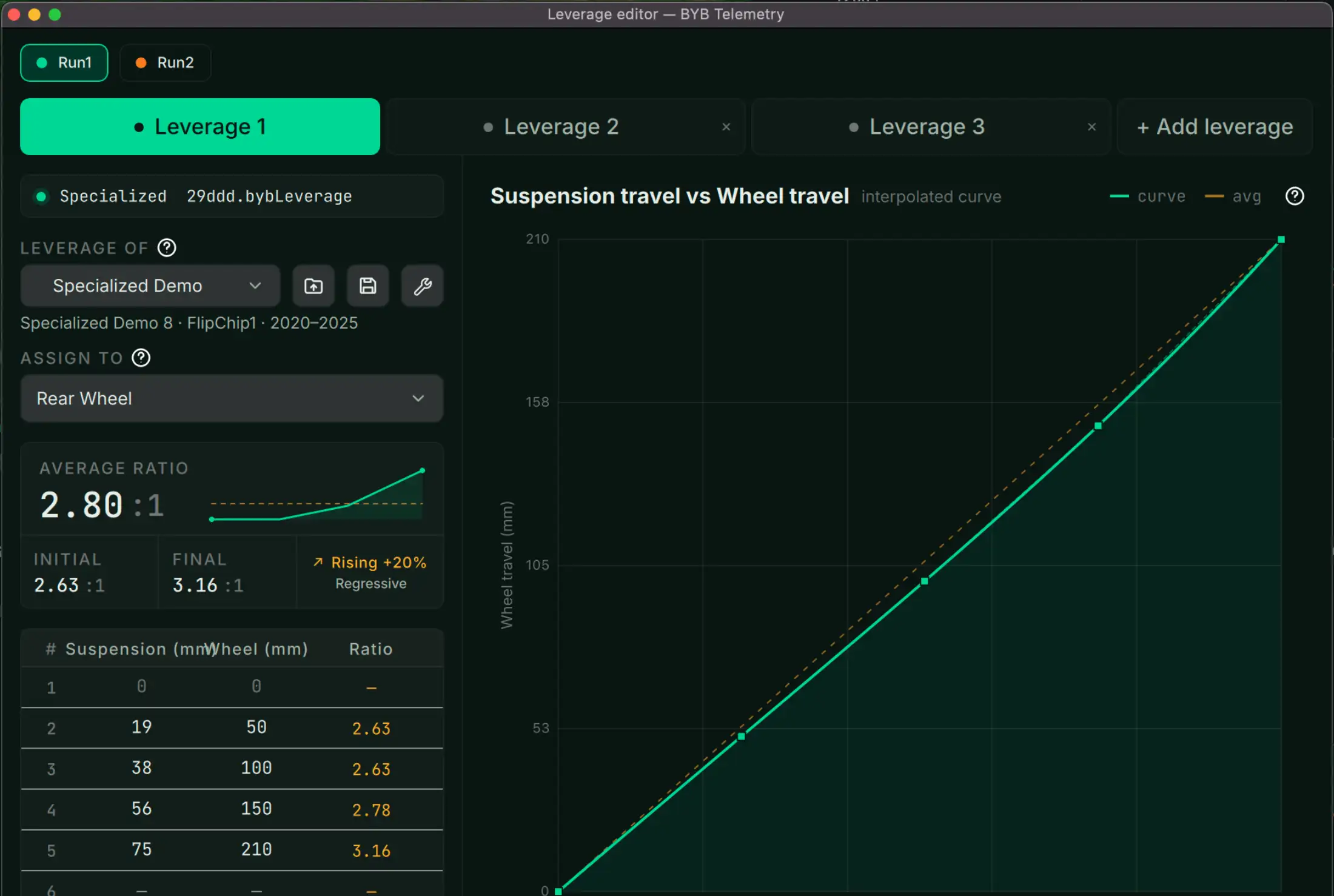
Convert suspension travel to wheel travel using interpolated leverage points.
Lap manager
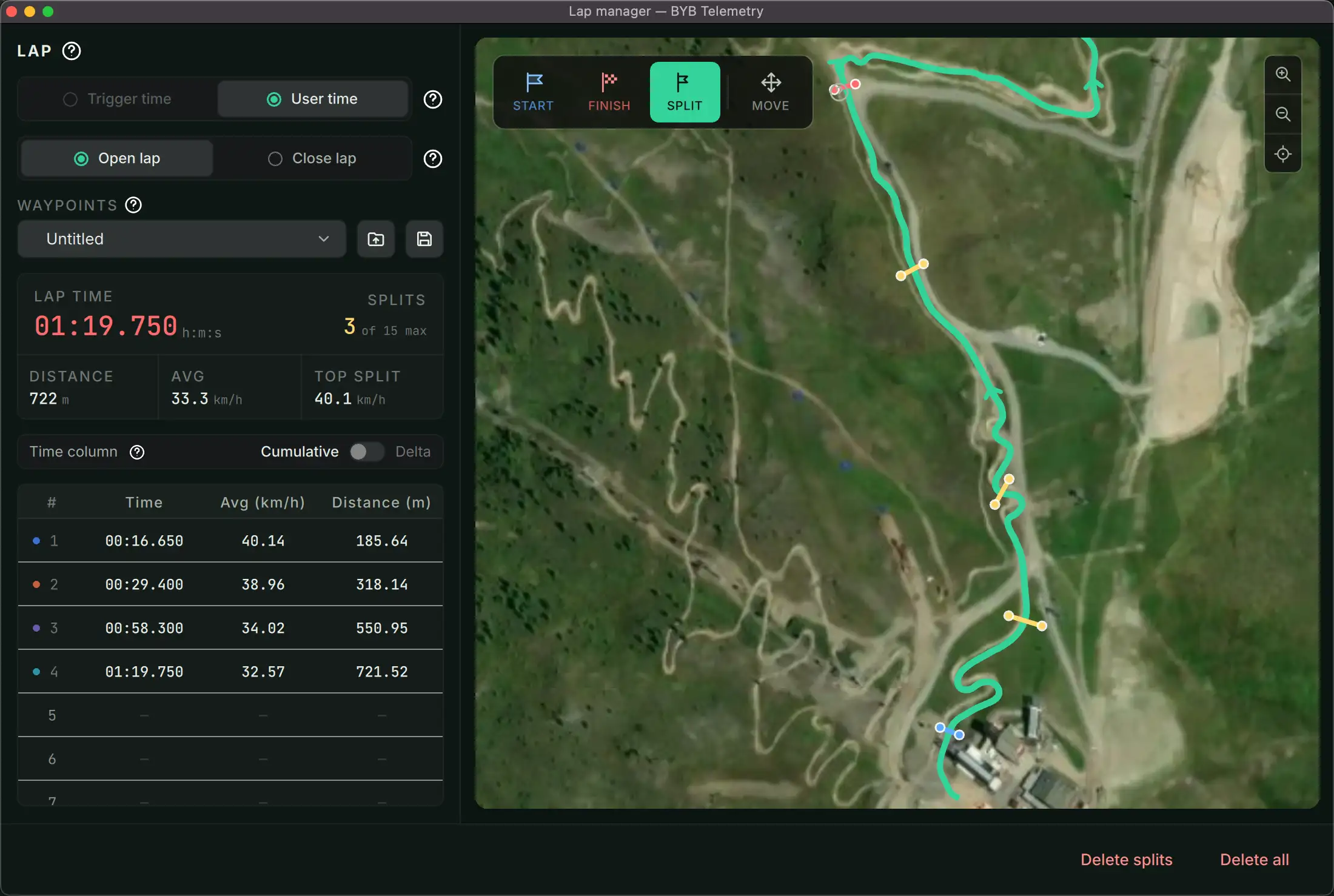
Accurate lap timing on closed or open laps.
Map characteristics
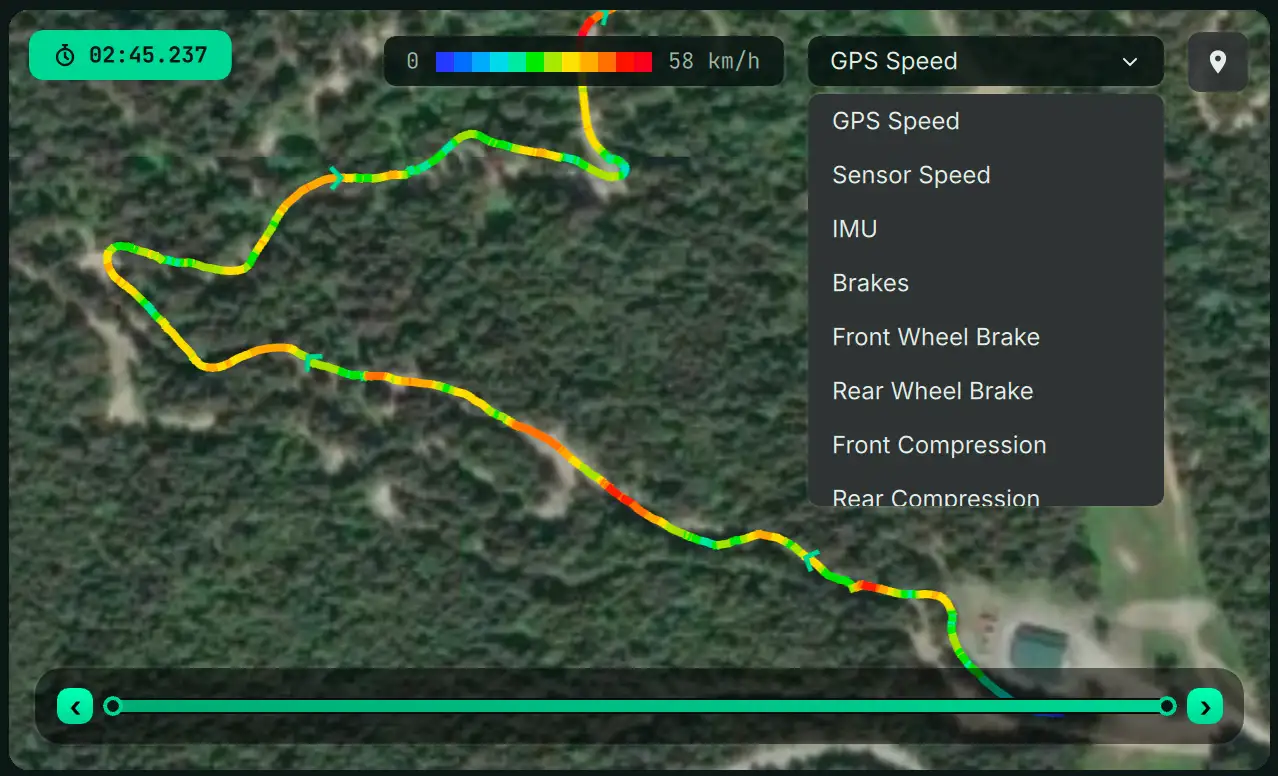
See where events happen on the track with data overlays.
Auto tuning
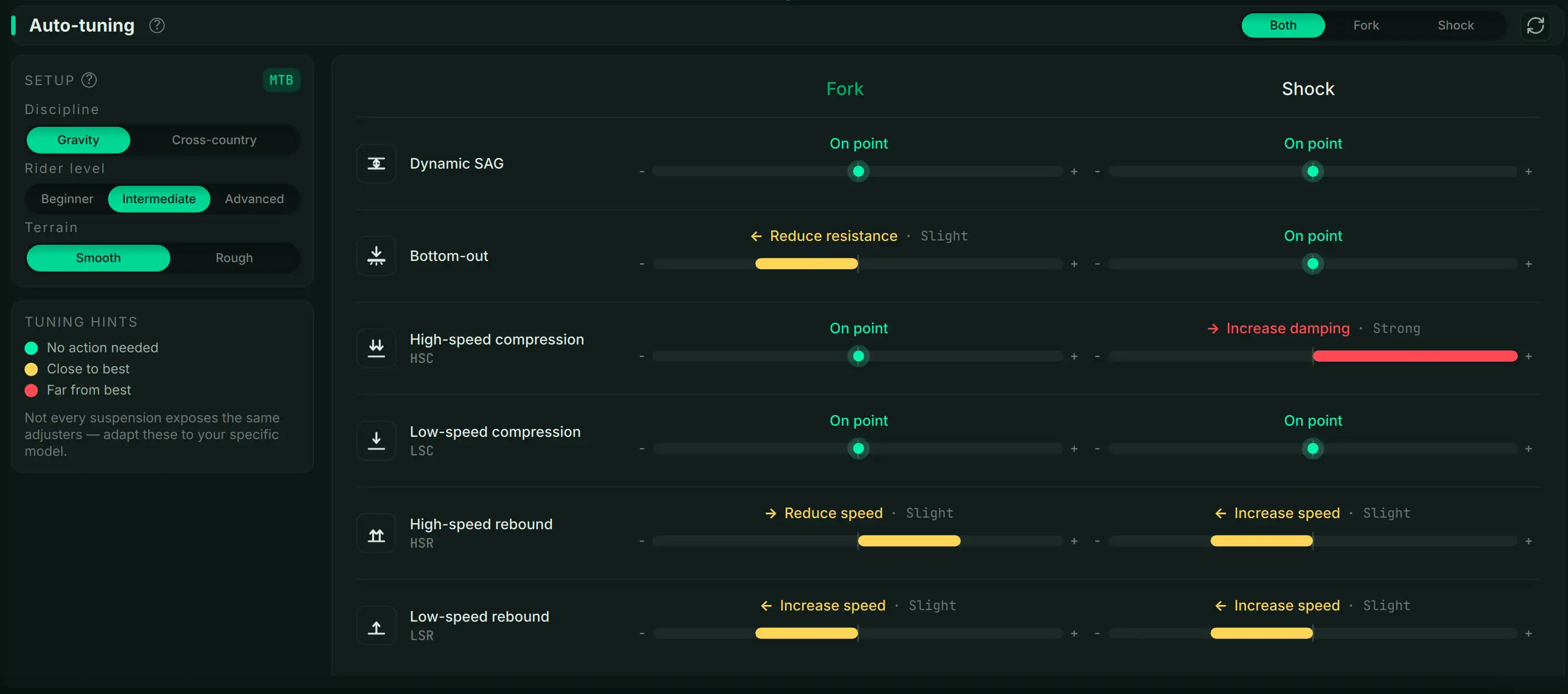
AI guidance for the next setup change based on the run.
Linkage simulation
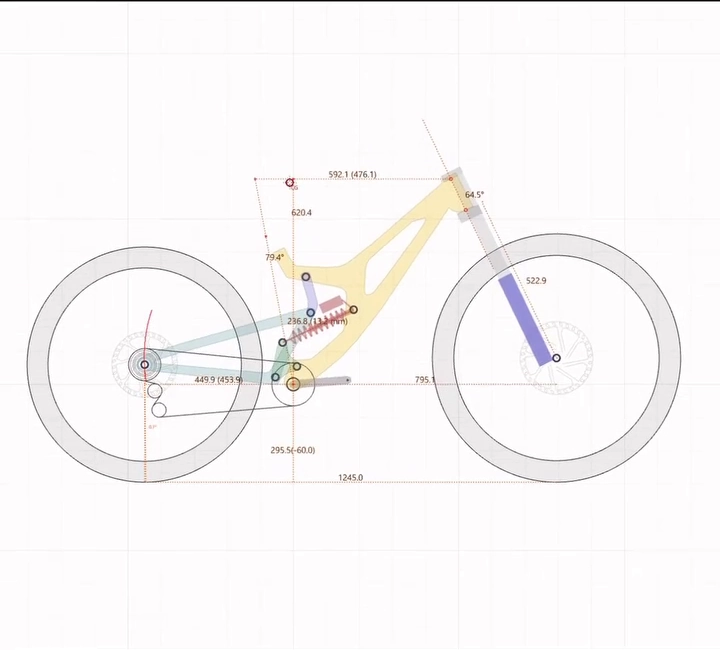
Use run data inside Linkage kinematic design software.
Video overlay
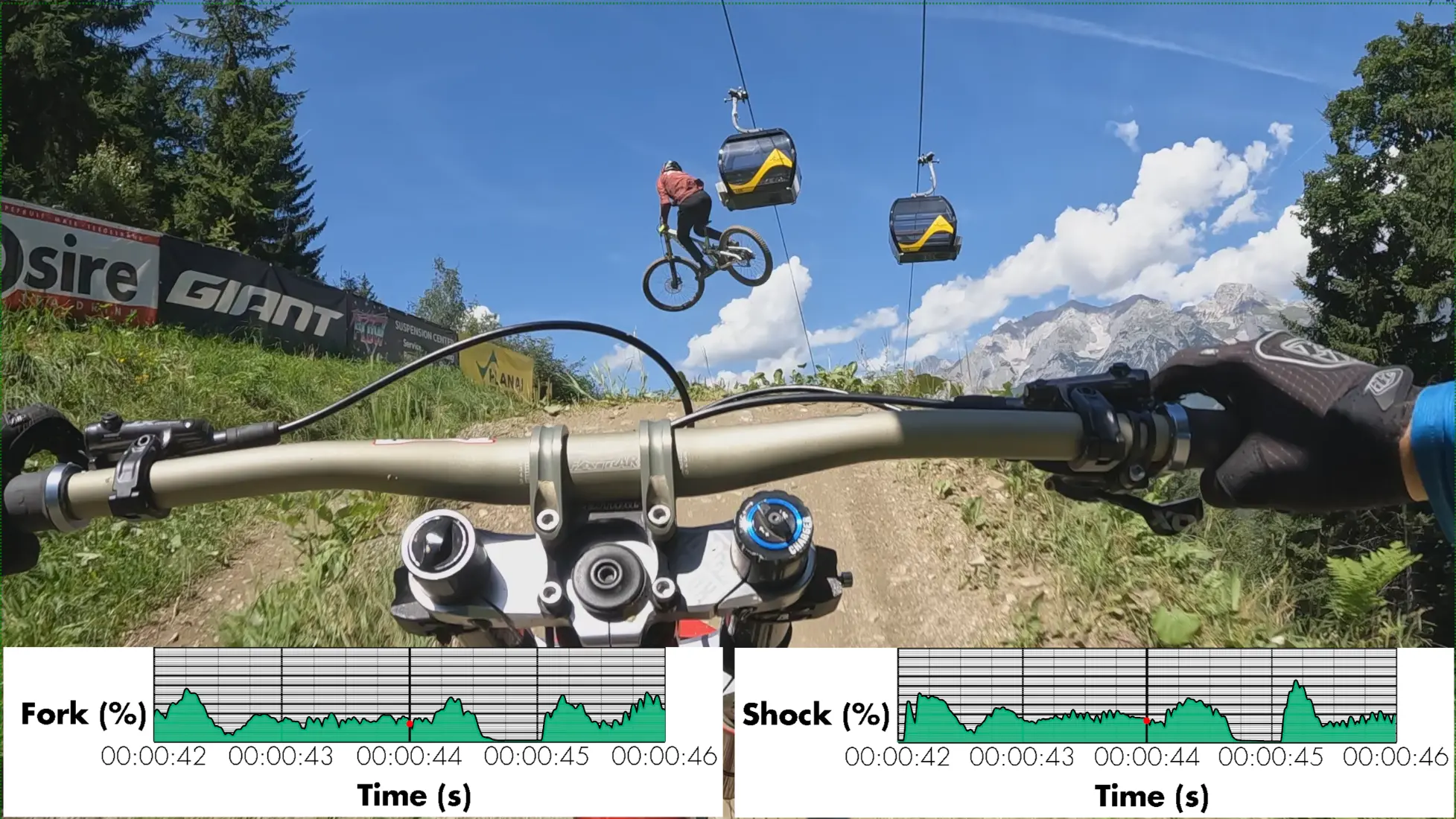
Overlay telemetry on action‑cam footage.
APP FEATURES
Device
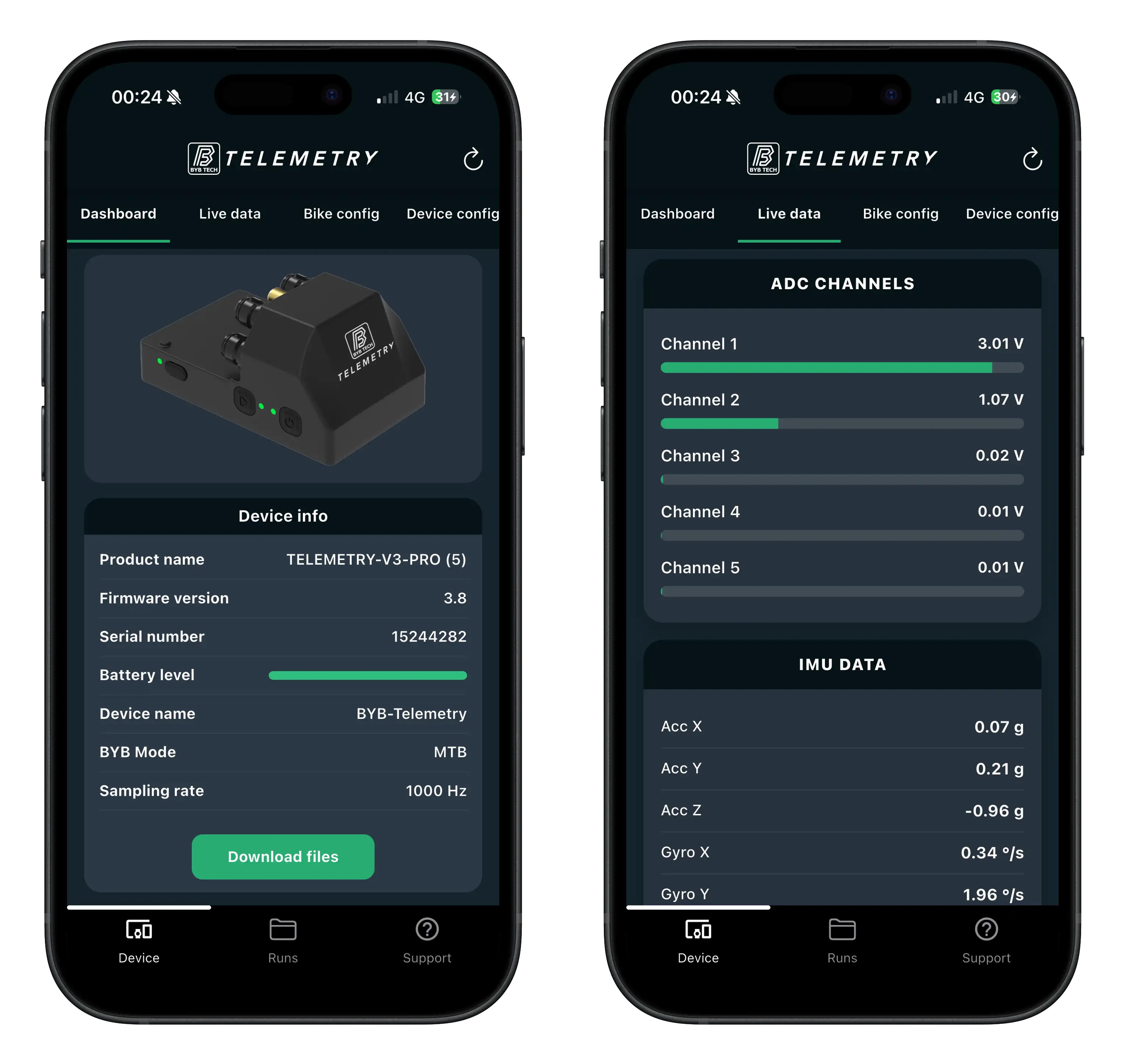
Wirelessly connect to the acquisition unit and change key settings (mode, sampling rate) in seconds.
Runs
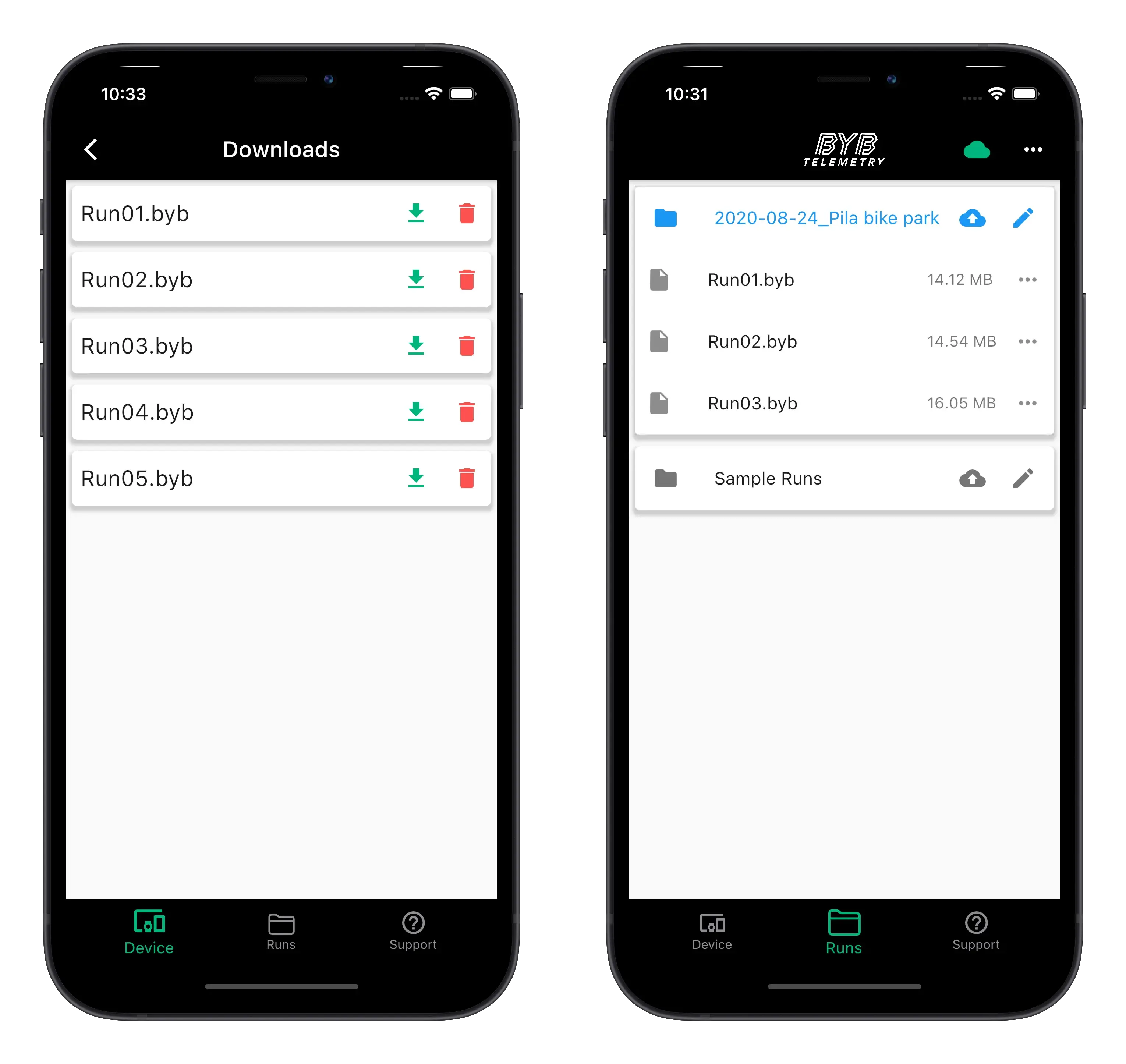
Download runs to your phone, organize them, and upload/share (e.g., via Dropbox) for backup or remote analysis.
Map and Values
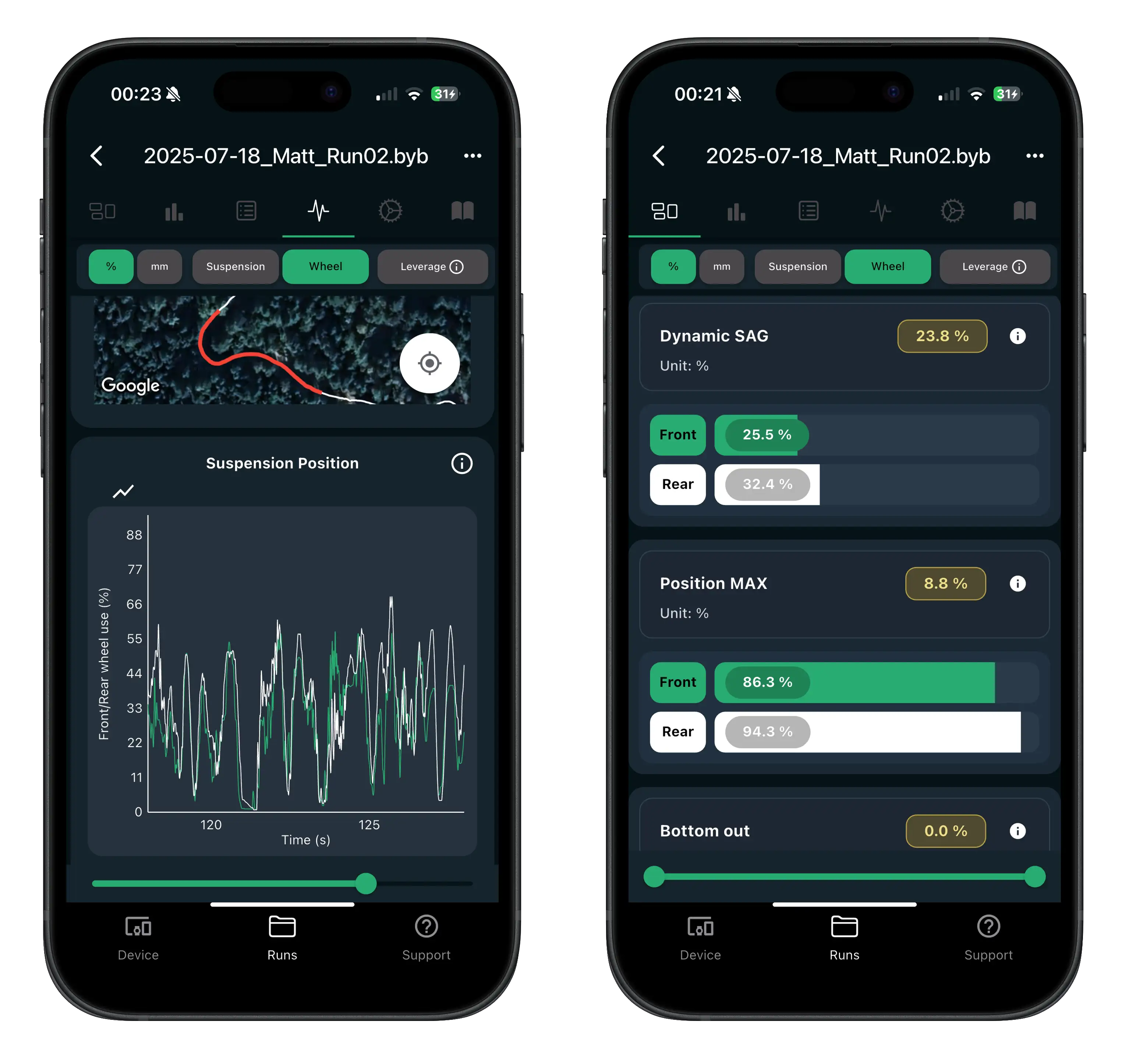
Review your route and see key suspension/wheel values along the track for fast context.
Lines and histograms
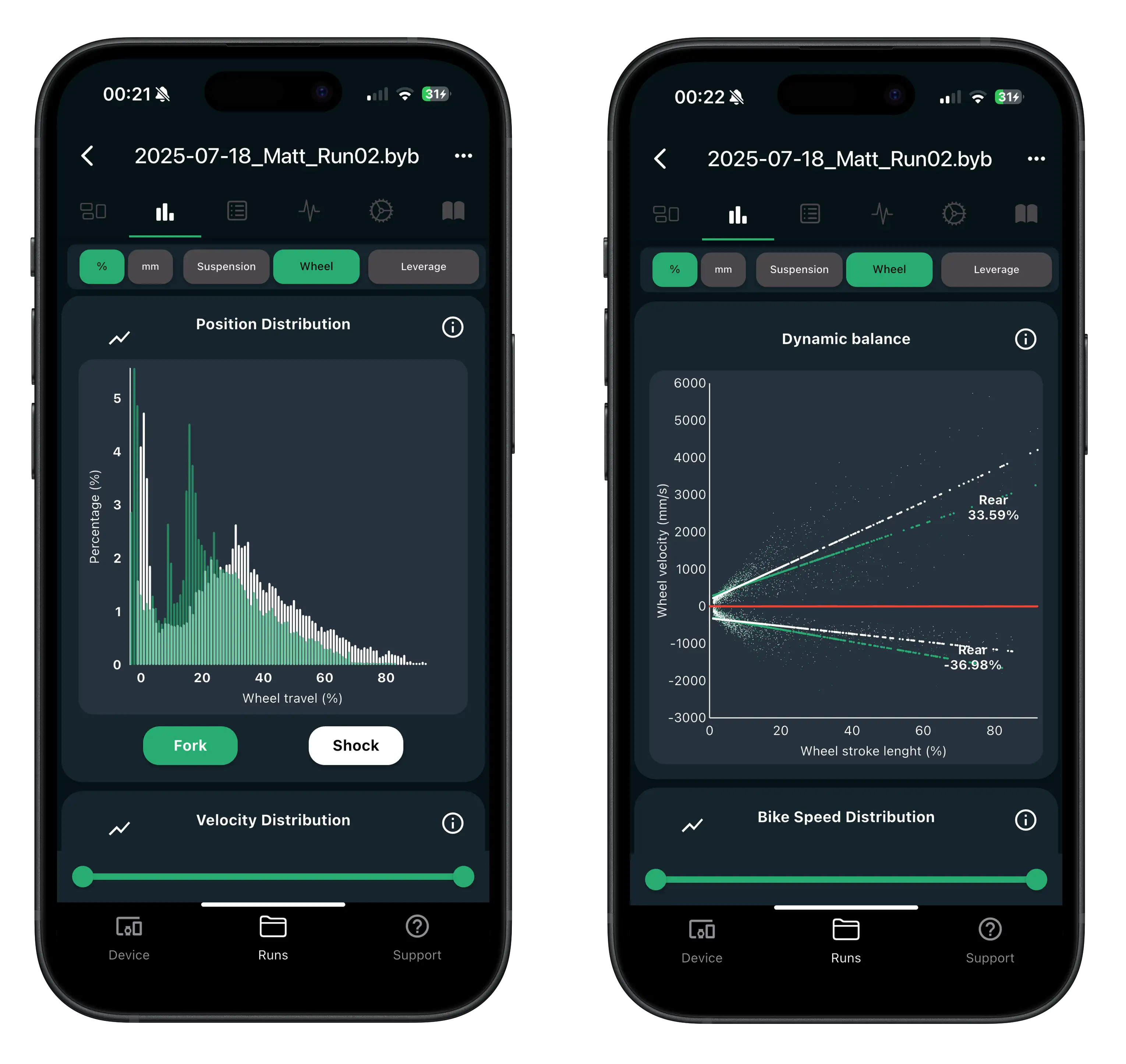
Use clear lines and histograms to quickly inspect suspension, brakes, speed (and more) and spot differences between runs.
Notes
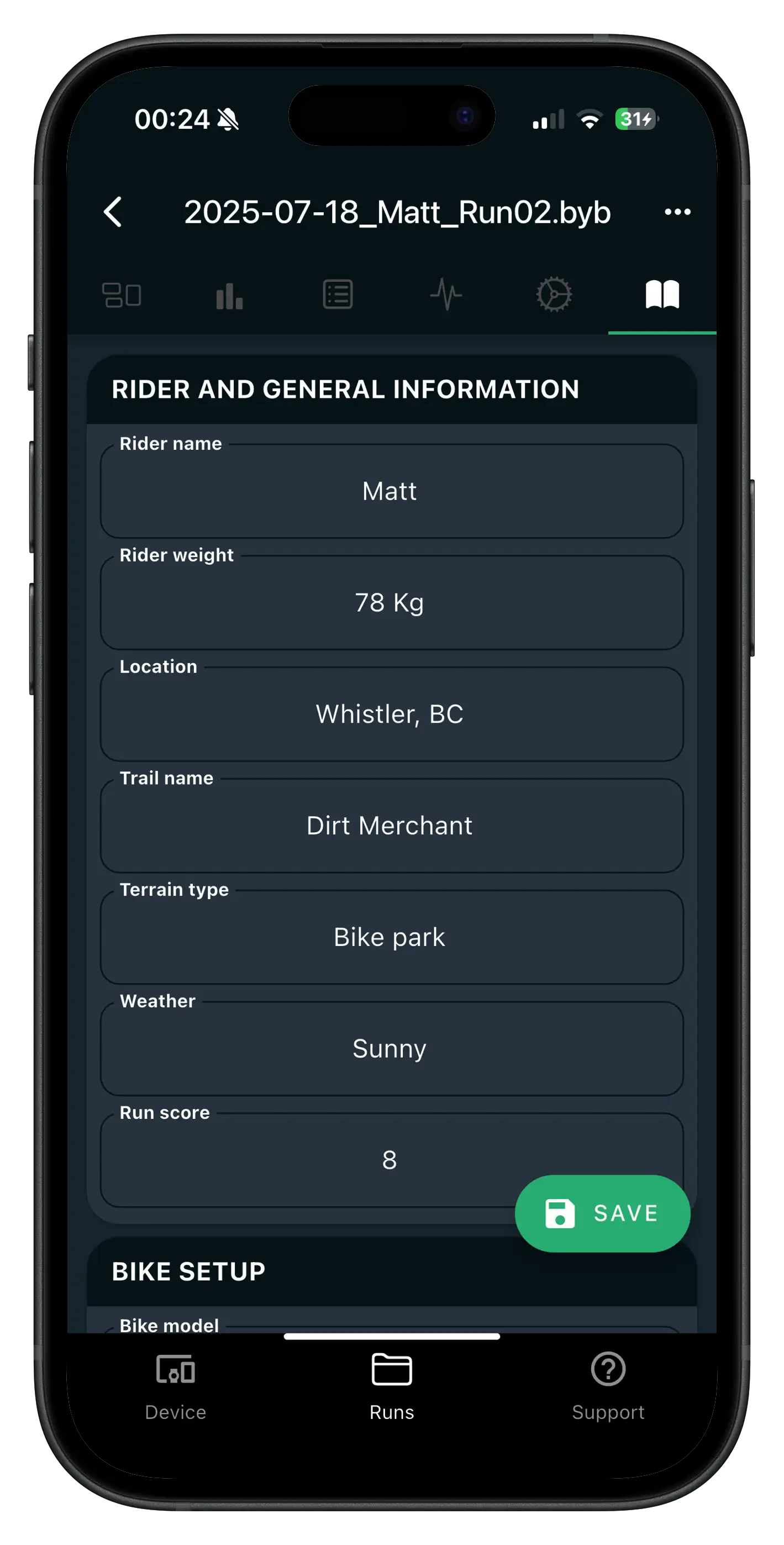
Save settings and notes per track/session so you can reproduce or refine a setup next time.
Auto tuning
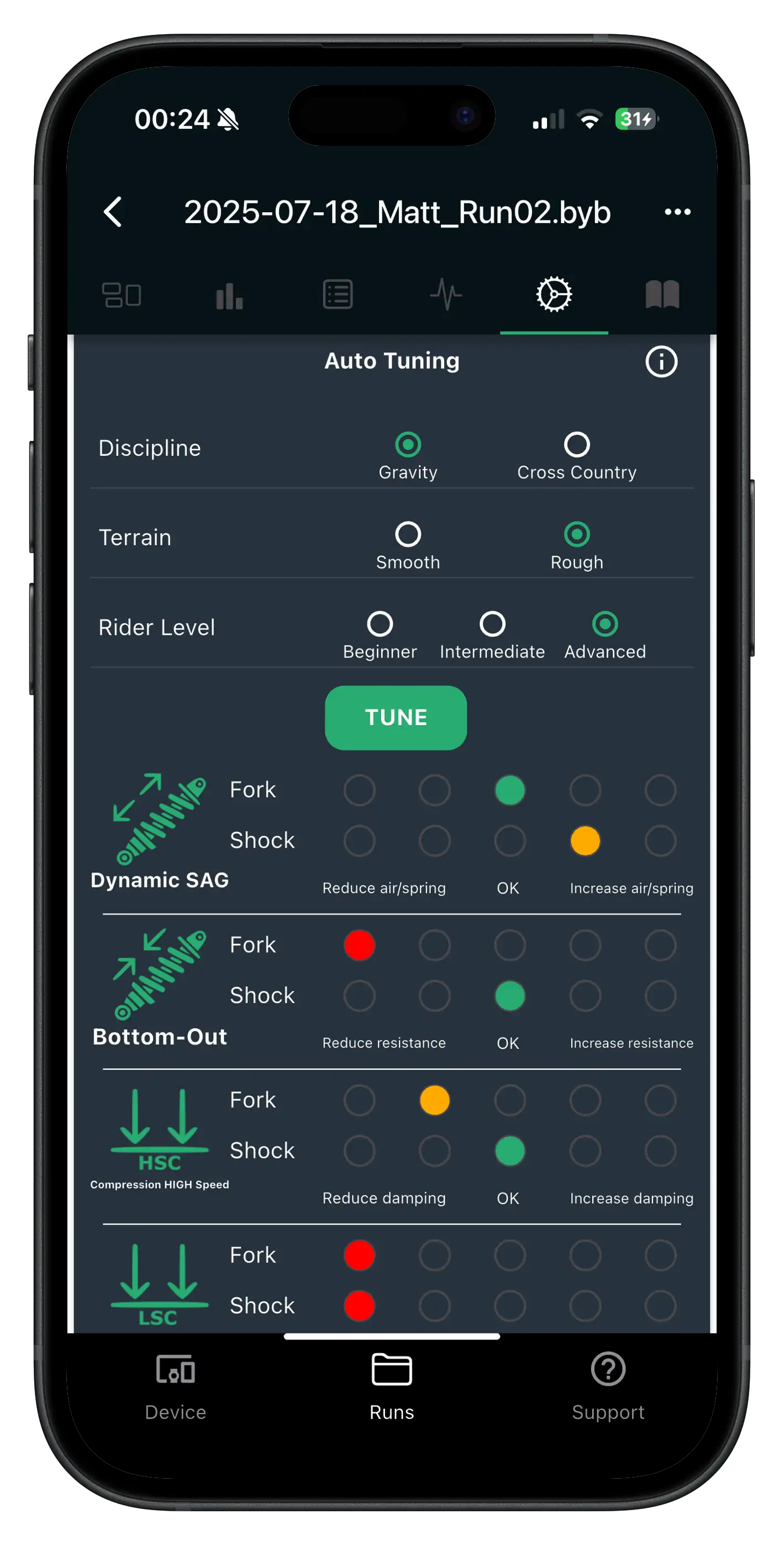
Select your riding level and get guidance for the next setup change—then validate it on the next run.